See the Difference with a Colour A3 Printer

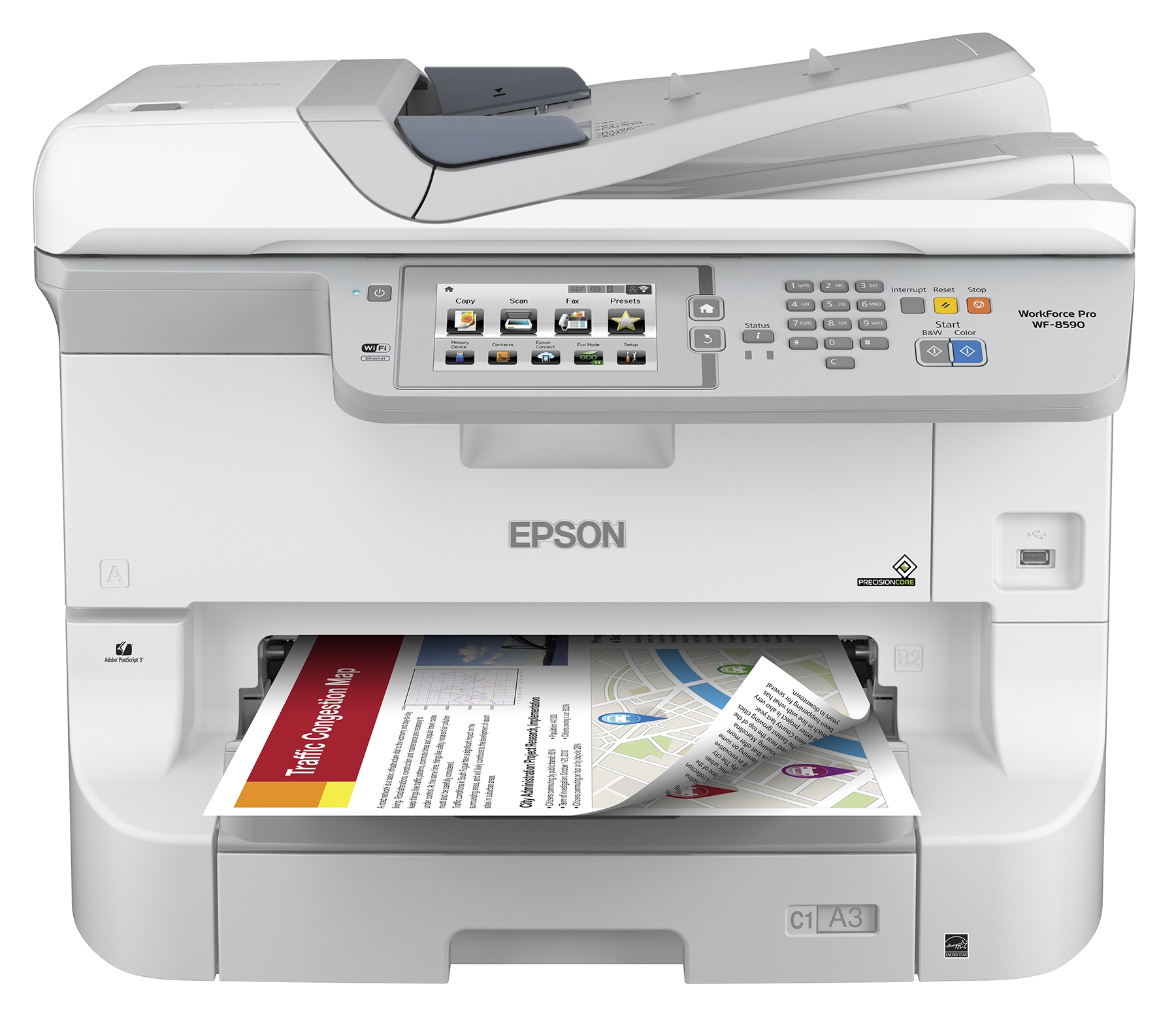
There are different types of printers, some of them are for a single function and there are also multifunctional printers which have different selections such as copy, email, print, etc., and their features vary on what brand or type of printers they are. Despite that, all printers are expensive especially if they are used for high-resolution color printing and the more expensive the printer is, the higher its resolution for its graphic output. Printing is not just all about printing for documents but also with images that may contain on the documents and we highly expect that there will be a good resolution with the images that our printer releases but there are really times that it shows a bad quality and the colors were mixed together that results in unidentifiable images. This is why we need to pick a printer that will surely give off the best color printing whether it is printed or copied by a copier lease. One could be the best example of this is a Colour A3 Printer. If you are looking for a Copier for your business, you may contact Clear Choice Technical Services. You can ask about Copier Leasing Services, Copier rental services, IT Services, and even Copier Repair services. This A3 printer has a vivid color quality and advances color management capabilities that will surely give you vibrant graphics or images along with sharp texts. If you are going to differentiate it from other printers, Colour A3 Printer is better in picture printing quality despite the fact that it is printed, not to mention how it still looks printed even if you photocopied it. It gives you outstanding results of color printing that you wanted. Colour A3 printer is best for companies who are in copier lease since it can print a lot and they will not worry about the toning of their printing. However, if they are having trouble with their printers or copiers, they can contact a leasing company that has copier leasing services and that will offer the best services for their equipment. One of the best examples is the copier leasing in your location in which they can support your copy machines and printers technically so that it will last. They can also put a solution if your printer or copier is having a problem with its mono and colors as well as document and photo scanners. Not just that, there will be an ease for upgrading your copier and there will be no need of purchasing a new one because they can upgrade or fix your equipment and because of this, it will save you more time and effort and at the same time, it could increase your business productivity. If you are having a hard time purchasing the best printer that could give out the best color printing you wanted, copier leasing services in your location could be an answer for you for they can help you with their services in your printers as well as your copier machines. With their affordable packages in copier leasing, you can also pick your option for payment and in just on pay, you can now avail of their full warranty of services.
How do you break a copier lease?

Some of you got worried about how to break a copier lease? Or should I say is it possible to break an agreement? Well, I guess, some points here will gradually help you to get out of it. As a copier dealer, this might be a question we often hear from corporate unhappy with what a lease they have signed with a competitor’s leasing company. Thus, it’s important to understand that when we sign a lease for a copier, it has always accounted that for any reason, a binding contract shouldn’t be canceled. Some companies might have wanted to break their copier lease contract for such reasons, including the needs of changing, financial hardship, outdated technology, performance, or misrepresentation by the leasing company. In this site of opinion, we’ll help you examine and determine the options available for legally terminating a copier leasing relationship early without a penalty or with minimal losses. Below is the definition of what a Copier Lease is? A copier lease is a clear written and legally binding contract of a leasing company and a business. The leasing company allows the business the use of such for a specific time; most of this usually extends one to three years. As the return of the business, it will make regular payments to the leasing company. Business companies can also opt to make purchases at the end of the lease period. The business is legally and mandated to pay the installments towards the leasing company for the entire duration of the copier lease, and conditions required to terminate the contract are strictly defined. Concerning this, the copier leases are not especially easy to get out of it. Then what is the Copier lease vs. service agreement? The service agreement is an agreement that is a separate contract with a qualified copier dealer (not the leasing company) to provide regular checkups, maintenance, and repairs, and even IT Services for agreed-upon monthly fees such. This article is technically concerned as to how to cancel or break the copier lease with the leasing company, and not the copier service contract agreement against the dealer. There are several ways to break a Copier Lease. A broken lease happens when one party terminates an agreement before the entire preset terms have been met. And once you have determined that your copier lease has no longer meeting your business needs, there are several methods you can use to legally get out of your lease: Review conditions for cancellation in the contract. The first step is, always review the lease terms and conditions. Conditions for cancellation by either party should be spelled out, along with any penalties for early termination. Also, read if you qualify to cancel the contract and what associated costs you may be incurred. Look for what constitutes a breach of contract. When Copier lease, Copier Rental, Copier Repair may fail to fulfill its advertised capabilities and testimonies. Try to check and see if the lease contract includes certain performance guarantees that are not met. If the company fails to meet the contract’s terms and conditions, it will be flagged as a breach of contract. Review articles can further be found under the copier service contract. Another one is, you can ask the leasing to renegotiate or terminate the lease as much as early. Although copier leasing companies are unusual to renegotiate or terminate early, you never know it, unless you ask. And lastly, seek legal advice from your lawyer and document everything. If you aren’t so sure about the terms of a lease, you can ask a lawyer to review your lease. Utilizing this you will become more informed about your concerns as you have legal options. Don’t mind the fees, just Legal! It will inevitably spare you a lot of stress. After this legal action, you may inform the copier leasing company. And just to break the lease legally, try to inform the leasing company, show your intent as well as your supporting documentation. It is also wise to keep everything recorded of any means of communication from the leasing company, such changes made to the given agreement, and other official actions taken. This will help support your case if further complications arise and you can now cancel automatic renewal on the lease.
How much does it cost to ship a copier?

Moving a business is not an easy job. It is hard work. Everyone would agree that moving a Copier Leasing is a big challenge in office moving. With many parts, fragile hinges, and trays, it requires careful planning to ship these sensitive copiers. It also takes professional help to ship copiers with ease, without damaging it and without spending too much money. Returning the copier to its leasing company or selling the copier machine to another copier owner is one of the customer’s responsibilities based on their end of term lease obligations. If you leased a copier and its time of returning, the few steps will help you to ship a copier: Prepare your supplies Gathering the correct supplies to prepare for moving a copier is an important step. It makes you do the work easily. You will need the following: Remove and wrap all accessories The most common parts that you will want to remove are the paper feeder, cords, paper tray, and other accessories that easily bend or be removed. Wrap each part with bubble wrap, at least three inches thick. Wrap the USB cords, power cords, or any other cords in a layer of cardboard that prevents them from being crimped or damaged during the period of your ship. Wrap your Copiers Copiers are delicate equipment that must be protected against impact and environmental damages. Start wrapping the copier with thick bubble wrap. Begin with the top of your machine down until fully covered the whole copier. Secure it with heavy-duty packaging tape. But be careful to select a good tape to be used. Some tapes leave residue and may be hard to remove when exposed to humidity or extreme heat. Tape directly cardboard pieces along the side of the copier maintenance that will serve as a protective shell during the period of transport. It is important to package it tightly to avoid breaking off during your move. Add another layer Make sure that everything is all together. You don’t want your copier rental equipment to be missing. Tight in together the accessories along with the copier machine and secure it with a full layer of cardboard, all wrapped together using packaging tape. Ship your copier After done with the wrapping, your copier is ready to be shipped. If your copier is small in size, you may not need a dolly cart to utilize your equipment. But if your copier is large, it is recommended to use a dolly cart to load your copier carefully and safely. You can use straps to hold it securely. At last, your copier will be shipped through moving trucks. But how much does it cost to ship a copier? We all want to move our copier machines safely to its designated Local Service Provider locations. But how much money you will spend in shipping a copier depends on the following variables: Weight and dimensions Most company shippers use dimension weight or DIM weight to calculate and determine the shipping cost. It is calculated by multiplying the height of the package, length, and width. Then divide it with a standard DIM divisor. The heavier and larger the copier is, the more expensive it will be to ship. Distance Shipping zones are the modern way most shipping companies use to calculate shipping rates. These measures the distance from the package origin to its destination.The higher the shipping zone, the more expensive it is. Distance also includes whether you are to ship local or international. Delivery time The choice of your delivery time also affects the cost of shipping your equipment. For example,3 day shipping delivery time will cost you more than those weekly delivery times. There are variables to consider when shipping a copier. Most business owners choose shipping carriers or companies to deliver their packages. The minimum cost for a single copier is $100.But some companies require you to pay a maximum of $1200 for a single copier. The cost depends on the company because some of them offer you a discount when you ship more than one copier.
How to Fix Black Lines and Smudges for Kyocera TASKalfa 3050ci Copier

Kyocera Copiers ranks among the top 10 copiers in the world due to its top-notch performance and budget-friendly prices. It is also capable of wireless and mobile printing that makes printing available anytime and anywhere without compromising the print quality. One of the new release series of TASKalfa MFPs is multifunction with laser printer technology printer Kyocera TASKalfa 3050ci Copier that has the advanced ability to handle copying, printing, scanning, and faxing jobs with utmost efficiency. Its standard functions are copying, printing, and scanning. The optional functions include fax, feeder, and finisher. Kyocera TASkalfa 3050ci Copier is available for copier rental and copiers for lease. The rental agreement lets you use the machine for your business activities while you pay for the cost per month. Copiers for lease normally depend on the price of the machine, the service required and the volume of copies you release per month. Copier leasing has different types. You have the option to choose a top-end lease agreement that lets you have more printer consumables that are included with additional charges or a low-end lease agreement that only covers emergency repairs. Kyocera TASKalfa 3050ci Copier Best Features This copier can handle small to medium scale business enterprises printing jobs. It has a standard memory of 2GB and a hard disk drive of 160 GB. The machine has a processing high speed of up to 800MHz and up to 600 MHz for mid-range MFPs. · Print at ease with varying media sizes up to 11’ x 17” or A3, 8.5” x 11” and 8.5” x 14” or A4 paper sizes and it also has the paper capacity of 1,100 sheets. There are input trays and output trays that may contain a maximum of 500 sheets each together with the bypass tray that may contain 100 sheets. · The max copying resolution is up to 600 x 600 dpi both for monochromatic and coloring pages. It has advanced color technology for the excellent quality of prints. It is easy to use and capable of producing high-quality prints in large volumes. Standard color scanning, it includes scan-to-email, scan-to-FTP, WSD scanning, and LDAP support. · With its superior performance, the copier can deliver 30 pages per minute with a maximum of 9600 x 600 dpi interpolated / 8 depth printing resolution. It can produce 150,000 pages on its maximum duty cycle per month. The first page is out in less than 6.2 seconds for black and white prints. · The copier has an advanced finishing option that includes a hole punch, off-line staple, and booklet or trifold finish that keeps all paper handling organized at all times. Common Issues Encountered with Kyocera TASKalfa 3050ci Copier and How to Solve It Black Lines and Smudges for Print This problem may be caused by improper installation of the Drum developer Assembly, the Drum is scratched or stained, the charger is stained or the cleaning unit for the PCU has worn out. Follow the steps below to resolve the black lines and smudges in the print: Click on the Machine: Maintenance. Choose Adjustment Settings for Skill Operators and then choose Execute Charger Cleaning. If there are still black lines or smudges, detach the charging unit and check the surface. Also, check if the drum surface is stained or scratched. If the surface is stained, contact your service representative or technician to install it properly or to replace it. Toner Spotting/Staining This image quality problem may cause of 0.5 – 1mm toner spots. This may occur if you are printing on both sides of the paper, printing on rough textured paper, or printing a single-dot halftone image. To resolve this, you may do the following steps: Make sure to pre-register the type of paper that you will be using. Click on the Paper Settings and see Registering a Custom Paper. Click on the Advanced Settings then choose Fusing Heat Roller Temperature Adjustment and increase the temperature to five degrees. If the problem is still not resolved then increase it again to another five degrees. If the changes above resulted in glossy lines or paper jam, decrease the temperature to 10 degrees. Click on Advanced Settings then set the Adjust Cleaning Web Motor Interval to 0.01. If there is no further improvement, it is best to contact your service representative or technicians. Scratches or Streaks Appear on the Image / Horizontal White Bands Scratches or streaks appear on the image may be caused by too high or too low paper feed speed of the exit monitor, switchback entrance, or switchback exit. Resolve the problem by following these steps: Click on the Advanced Settings and adjust the paper feed speed for delivery. The paper feed speed depends on the type of printing. For one-sided printing, click on the Exit Motor Speed Adjustment and reduce the value to 0.1%. For duplex printing, click on the Switchback Entrance Feed Speed Adjustment and reduce the value to 0.1%. For one-sided printing but the delivery of the paper is inverted, click on Switchback Exit Feed Speed Adjustment and reduce the value to 0.1%. Print the image and check if the issue is resolved. If not, keep on decreasing the value by 0.1%. If the problem persists, contact your service representative or technicians. Horizontal White Bands appear on the paper when you print it due to the static electricity produced by the friction between the conveyor belt and the paper when you use a synthetic paper or the transparent film is used. To solve this, all you have to do is go to the Advanced Settings then increase the value in Paper Transfer Current Setting Side 1 or paper Transfer Setting: Side 2 by -20µA. For example, if it is currently -100 µA change it to -120 µA. Conclusion For business starters, they usually opt to look for copiers for lease or copier rental rather than paying for it in one go. Multifunction
How to Fix Multiple Jamming Issue of Konica Minolta Bizhub 361 Copier

Konica Minolta is known for producing photography equipment. At this point, they extended their work into producing quality MFP (Multi-Function Printers). For the past few years, they are considered to be the popular brand in the field of copiers manufacturing. Considering their reputable history in the business, many customers considered their copiers to be one of the best machines designed for small-sized to medium-sized companies. One of the best copiers made by Konica Minolta is their Bizhub 361. It is packed with features you can rarely find in an inexpensive copying machine. They use the IoT (Internet of Things) to make this machine good equipment for a collaborative company and team. Konica Minolta Bizhub 361 Copier is packed with a unique set of features that amazed us. These features include a good printing speed, an environmentally- and beginner-friendly edge, wide range functionalities, and many others. Apart from this, this machine is priced reasonably. The good thing with Konica Minolta is that they offer copier rental. Five Best Features of Konica Minolta Bizhub 361 Copier It cannot be denied that different copiers are manufactured and created differently. Even though expensive copiers are usually packed with impressive features, this doesn’t mean that they perform and work well. If you want to get the best copier for your business, the first thing you need to do is to look and understand the key features offered by a machine. If you are planning to avail of Konica Minolta Bizhub 361 Copier, you are in the right place. In this section, you will learn the five best features you can find in Konica Minolta Bizhub 361 Copier. On the other hand, if you don’t have the big budget to avail of a copier with a one-time payment, you may consider looking for a company that offers copiers for lease. Copier leasing is a good option that might be considered by a small-sized business owner. When you lease a machine, you are required to create an agreement with the copier leasing company to pay them monthly or annually as an exchange for the copier usage. Let us now move on to the features of Konica Minolta Bizhub 361 Copier you need to know. · 10 Inches Touchscreen Panel – As mentioned earlier, the Konica Minolta Bizhub 361 Copier is a good machine for beginners. Its 10 inches touchscreen panel can be tilted up to 90 degrees. Their user-interface is easy to navigate making it both user- and beginner-friendly. · Anti-Virus Engine – This feature, on the other hand, protects your machine and mobile devices from possible malware infections. The copier’s anti-virus engine made it more popular among the employees, students, teachers, and business owners. · Mobile Printing and Scanning – Konica Minolta Bizhub 361 Copier uses innovative mobile technologies enabling its users to print and scan a document or picture anytime and anywhere. With this machine, printing and scanning can be done wirelessly and easily. · NIC (Network Interface Card) – This feature will help you to connect the copier to an internet connection available in your area. Through this, scanning, faxing, and printing can be done as quickly as possible. · ADF (Automatic Document Feeder) – One of the great features we loved about Konica Minolta Bizhub 361 Copier is its Automatic Document Feeder. This enables you to create a copy of a document in numerous pages without requiring you to remove or lift its lid. Common Issues and Solutions in Konica Minolta Bizhub 361 Copier Copiers are one of the staple tools you can found in an office. Whether you are using a multi-function or single-working copier, it cannot be denied that it works as busy as the employees. Irregular maintenance or improper usage of this device might lead to issues, including multiple jamming, wrinkled pages, toner and cartridge issues, and many others. Fortunately, these common problems can be solved easily and quickly without the need to go for a professional copier repair. You can also avoid these problems with the right usage and maintenance. Let us know the most common issues you may experience in Konica Minolta Bizhub 361 Copier and its corresponding solutions. If the problem hasn’t been foxed by our recommended solution, your machine may need a professional copier repair. Multiple Paper Jams Multiple paper jams can affect the whole production of the team considering that t results in a lot of backlog and standstill. The main reason behind this issue is the improper set-up of the machine. This problem usually occurs anytime and at the most unexpected time. Another reason for multiple paper jams is the usage of improper paper thickness and type. The answer to this problem is simple. You only need to manually remove the jammed papers. After that, put the place the proper paper size in the right alignment. Make sure that you will remove the jammed papers carefully. If you usually encounter frequent paper jamming, you may call an expert to perform copier repair. Wrinkled Pages Wrinkled pages produced by a copier are usually because of the damaged exit rollers and feeder that results in jamming or sticking. You may consider buying a new tray or ask an expert for professional help. If your machine starts to show different issues without knowing the reason behind it, copier leasing and copier rental might be your option. Toner and Cartridge Issues We know how frustrating it is to fix a problem you don’t know the reason behind it. If you constantly encounter toner and cartridge issues with your copier, this might be because of the improper set-up of the machine. If you’re using the wrong cartridge and toner, it can lead to a low-quality print. If this is the case, a professional copier repair is needed. Experts are knowledgeable about what type of cartridge or toner you need to use to prevent this issue from occurring.As mentioned,
The 3 Best Copiers For Business Use

If you have a business that regularly needs to copy and print massive amounts of documents, then a high volume copier will most likely benefit you the most. Here are some of the best high volume copiers from leading brands to help you find the perfect one for your business. Toshiba e-Studio7506AC This multifunction color copier can print at impressive speeds of up to 85 prints per minute and can handle paper sizes up to A3. There is also an ample paper capacity of 6,020 sheets and the prints can be in 600 x 600 dpi, 1,200 x 1,200 dpi or 3,600 x 1,200 dpi meaning you are always guaranteed clear, crisp and high-quality results. The Toshiba e-Studio7506AC is also very versatile, reliable, and capable. The features include job skip, print on demand, and scan review to help make sure that you are always in full control and get the most out of the features. There are also security features like data encryption that come as standard. Ricoh Aficio MP6002 This is a black and white multifunction copier that can copy, print, scan and fax documents at a very productive 60 prints per minute. The operation panel is easy to use and it has a customization home screen for quick access to your most-used functions, there is also a USB and SD slot for streamline printing. The Ricoh Aficio MP6002 is very reliable and it is designed to handle high volumes of documents, the 8,300 sheet paper capacity means that you can avoid interruptions even during the biggest jobs. The print resolution is 1,200 x 1,200 dpi giving clear, crisp, and professional results. Sharp MX-M1054 The Sharp MX-M1054 has a reputation for being reliable, powerful and quiet. Aside from the incredible speed of 105 pages per minute, the Sharp MX-M950 manages to operate very quietly making it perfect for any office. This black and white multifunction copier has an incredible maximum paper capacity of 13,500 sheets making it perfect for high volume usage. The Sharp MX-M950 is simple to operate thanks to its massive touch screen control panel and the print results are always going to be detailed and clear with a 1,200 x 1,200 dpi resolution. Other copiers that are perfect for business use Canon iR Advance 8205 PRO The Canon iR Advance 8205 PRO is a black and white copier that can print and copy at the very fast speed of 105 pages per minute. The paper capacity of this copier is 7,700 sheets to make sure that there is uninterrupted high volume printing and the resolution of prints is up to 1,200 dpi. The iR Advance 8205 PRO has a range of impressive features including duplex scanning, automatic duplex printing and the ability to handle multiple media types. Xerox D95A This high volume all in one Xerox D95A copier can effortlessly copy, print, and scan at impressive speeds of 95 pages per minute at an unparalleled quality of 2,400 x 2,400 dpi. The D95A can hold 2,050 sheets and this can be upgraded to an 8,050 capacity if necessary. There are also multiple finishing options like a booklet making and hole punching feature to help make your documents professional and finished to a high quality. With the D95A you will experience top quality and speed combined with low running costs, ease of use, and a streamlined workflow. Konica Minolta Bizhub C754e This multifunction copier can copy, scan, and print high volumes of documents in vibrant color at high quality. The 60 print per minute color output and 65 print per minute black and white output mean that you won’t have to wait around. The print resolution of this copier is up to 1,800 x 600 dpi and the copy resolution is 600 x 600 dpi. If you need copiers, you can opt for a copier lease. Copier leasing can help you get the copier that you need. You can contact your local copier leasing service for details.
When Is The Best Time To Get An Office Copier?

You can tell if your office copier has seen better days, and now more than ever, business is picking up, and you need office equipment that can keep up with your business needs. It might seem like you’re stuck with a big decision to make: how to choose the best office copier for your business, and when is the best time to do so? Your business is different than any other, and you know you need an office copier unique to your business, customer, and employee needs. Buying or leasing a new or upgraded office copier isn’t a small decision to make, and probably part of the reason why you’ve waited so long to bite the bullet. Maybe you’re asking yourself these questions: “Where do I start?” “How do I make sure I won’t get ripped off?” “What features do my employees use and need the most?” “What new pieces of copier technology should I be interested in?” “Is there a prime time of year to buy or lease a copier?” “Is my copy machine broken, or is it just old?” “Can I get a new copier when my lease on the existing copier is not up for another year?” Copiers save businesses money and improve productivity. That’s sexy. Free eBook. If you’ve asked yourself any of these, know you’re not alone, and it’s good you’re doing so! But, before you can adequately answer any of them, you must learn our answer to, “When is the best time to buy an office copier?” Drum roll, please…. The time is NOW! What Do You Use Your Office Copier For? Now that you know the best time to buy your office copier is ‘now,’ let’s discuss what you use your device for and assess the functions your business needs. It’s essential that before you start looking into copier makes and models, you educate yourself on the essential functions your employees need in an office copier along with different aspects you look for in a copier company. Want to know how to choose the best service provider company? Read our article, Choosing the Best Copier & Printer Service: 7 Must-Haves. We’ve put together a list for you that helps you choose the best copier for your business by assessing and identifying exactly what your business needs to continue its growth and success. EXCEPTIONAL SERVICE AND QUICK RESPONSE TIMES The preference for quality of service from an office copier company very much depends on the person and the business. Some businesses prefer to keep their budgets lower when it comes to office equipment for their business; even if that means the service isn’t all that great. Others go by the quote, “You get what you pay for,” and feel strongly about paying more for better service and don’t cut corners when it comes to the companies that serve them. It all depends on your expectations and the peace of mind you need. Just remember, that typically, the more you spend on a product or service, the more pleased you’ll be. Now, this doesn’t apply to everything, but certainly something to keep in mind. If your business prints and copies at lower volumes, you might not need to spend a ton of money on a copy machine service provider. Check to see how many copies you typically print or copy a month to give you a better idea of your office copier usage. You can even do so by opting for a print assessment. WHAT TYPES OF DOCUMENTS ARE YOU PRINTING AND COPYING? A great way to weed out certain types of office copiers that won’t benefit your business is by knowing the kind of documents you’re printing and copying, as well as how you’re assembling them. Do you mostly print reports in black and white? Are you copying high-resolution graphics and designs? The type of industry your business is in has a lot to do with the kind of office copier that best suits your company’s needs. If you’re a small business that doesn’t utilize color printing and copying on a day-to-day basis, you might not need the latest and greatest. Choosing a smaller, black and white office copier, is a much better option for your business than an office copier that has all the bells and whistles needed for high-quality, color and image resolution. If your location is around Phoenix, you may also visit Copier Lease Phoenix and Copier Rental Phoenix or call Service Location Phoenix: (602) 428-6500
4 Biggest Benefits That Copiers Bring To Businesses

Copiers are a big help to any business that processes a lot of paper documents. This is why one can never rid of copiers in the list of the many to few things that make an office. In Detroit, copier leasing is popular due to this necessity attached to copiers. However, it is not just mere copier functions that make any copier good for your business. Below are the specifics on the benefits of having a copier in your workplace: Efficiency Every business deserves a machine that is going to help them boost their productivity to its fullest. Copiers contribute to that by its wide array of functions that make office tasks simpler. Having your own copier in your office makes it convenient for you to scan, print, copy, and even fax your documents. You would not have to go to a copying place just for it. Now, that just makes your tasks way lighter. Having a less heavy workload guarantees a room for quality in work, so that gives copiers a lot of winning points. Time-friendliness Time is very essential for every business task. There are deadlines after deadlines. There are goals to be met in just a certain period of time. Then there are employees working hard to meet those pressure-inducing factors in their jobs. Having a copier in your office helps these poor employees achieve their goals easily and productively. Copiers can cut their tasks in half, for they provide functions some people still do manually but shouldn’t anymore. It is also notable how having a copier in your workplace can put you on track with your ideal schedule. There will be no need for you to run those printing errands outside of the building to some shop. That takes at least half an hour. If you had your own copier, half an hour becomes less than fifteen minutes. It is then advisable to go get you a copier lease immediately so that you could enjoy a copier’s time-friendly benefit as early as possible. Besides, we are already talking time here, right? Eco-friendliness Copier may still use a bunch of papers for your documents as well as some chemical for the ink. However, it is how these supplies are managed that makes them potentially harmful to the environment. If you had your own copier in your office, you would be able to dictate your terms regarding this matter. As a business, of course, you want to be a contributor to your community. It may be in terms of industrial matters, but this environmental aspect matters just as much. It is important that as a business you work towards the betterment of your community in a general sense such as this. Having your own copier allows you to have that control and opportunity to do so. You can devise your own conservation strategy. You can also discover your own ways of maximizing the use of your copier with minimal waste. Cost-efficient Having your own copier eliminates a lot of expenses. There will be no more overpriced printing charges for you to worry about. You can decide which supplies you want to use so you can have your budget followed. This is important as a business. Businesses should be mindful of their expenditure. Copier leasing can also help you ease your way financially with getting your own copier. Copier lease in Detroit provides really affordable plans. This advantage can pave the way for better financial control in your copier needs. The machine would not have to eat up all your budget and deprive you of its more budget-friendly benefits. If your location is around New York, you may also visit Copier Lease New York and Copier Repair New York or call Service Location NEW YORK : (866) 620-2287
3 Reasons Why You Should Go Own A Copier

How do you make copies of the documents that you need? Every start-up business knows how huge of an investment it is to buy a copier for the business. Although there are copiers available for copier lease in Tulsa, there is still a lot of second thoughts thinking that you might end up with the wrong copier. There is also the option to use the copy center next to your office to get all the printing jobs done. While it may be effective to start, it might not be the most efficient means. How much time does it take for the copier center to produce the documents that you need? If your documents need to line up after other companies who have asked them to do the copies too, then you’re paying them more than you should. When you count the amount of time spent waiting and the amount of money lost because it took too long, you might lose everything you have started even before you had the chance to try it out. What are your options? At this point, you don’t want to be left with anything else. You want to find out what your options are and that is when copier lease in Tulsa comes in very handy. Is there a need to purchase a copier now? You don’t need to buy copiers at the moment especially if you can barely afford them just yet. There are other ways to get hold of the copier that you need. Have youconsidered going for a copier lease instead? Copier leasing has proven to have helped a lot of start-up companies to establish themselves while producing all the documents necessary minus the costs. Copies don’t need to be purchased especially when you’re not sure which of the models in the market best fits your needs. After all, when you have the copier in the office, there is nothing else that you can do but move forward and do business. Why is copier important? There are more than a handful of reasons why copiers are important for the business. In particular: Copiers reduce the cost of the copy per page. When you go to the copy center for your copy needs, you are not only paying for the copies, but you are also paying for the services that they provide. The mark up that they put on every page could mean a new copier for you in the long run. You can cut down the costs of printing per pageif you choose to keep your own copier in the office instead. Copiers in the office can reduce the amount of time wasted in making copies. Because some of the best copiers today run with the best technology, you can leave them printing while you do some other work that needs more of your attention. Waiting for the copy center to finish all your orders could mean delays and that’s not making a very good impression among clients. Increase the speed by considering copier lease now. What will happen to your business when the copying machine breaks down on you? Like is when copier leasing Sacramento steps up. They will provide you with the support that you require. Technicians will be working on getting the copiers working again. While waiting, the leasing company can provide you with an alternative copier you can use for the meantime. What else does your business need to succeed? The only thing that will fuel your business success is when you continue to look at what the company needs. It is not about whether to buy or to lease a copier. Either way, you know that you are in for the benefits of having copiers in the office today and in the future. If your location is around New York, you may also visit Copier Lease New York and Copier Repair New York or call Service Location NEW YORK : (866) 620-2287
3 Best Advantages That Copiers Can Offer To Businesses

Copiers may seem like simple machines to use whose functions are just for mere document processing in the office. However, they actually do more than just that for any business. Copiers actually help a business grow. Now, growth does not mean only expanding the operations of a business in different areas. Real business growth is when the full potential is maximized in all of its aspects. How copiers contribute to that is simple. Many businesses work on papers and different documents that are necessary for keeping their operations going. Most of these are contracts and other legal documents. Having an unreliable scanner, copier, printer, and faxer for those documents is a big setback for any company. Copiers, being an all-in-one machine for all thefunctions, certainly keep your company on its wheels. Any copier lease in Nebraska will tell you that it is just how important copiers really are for any business. Copier lease Nebraska have many business owners for clients that avail their services because these machines really help them. In order to fully understand the growth that copiers contribute to businesses, here are the specifics: Improve Productivity As mentioned above, copiers can scan, copy, print, and fax documents. You may think that this just all implies user convenience. It is so much more than that. This multi functionality opens more room for productivity and organized workflow. It is important for a business to maintain productivity in order for it to grow. With the help of a copier, a company can process documents in different ways through one machine. There is no need to run around the office for separate machines for faxing for instance. You don’t even have to run errands outside anymore just to make sure all kinds of printing are done. An in-house multifunctional machine is going to give you more time to accomplish more important tasks. Now that is a good business strategy right there in a form of a machine. Multiply Efficiency Every copier has amazing connectivity features that allow everyone in the office to directly connect to it. They could use their smartphones, desktops, tablets, and laptops. Copiers have connection options like Wi-Fi, Cloud, USB, and other applications commonly used in workplaces. The importance of having a wide array of selection for connectivity is that it creates efficiency.With this network, one can print documents from a certain application that can be directly accessed and processed by the copier. That makes work easier and quicker. It is important that such efficiency is worked on in any office. It is one of the keys to making sure that the business grows to its full potential. After all, not business has ever made it by being sluggish. Create Absolute Business Power Many copier leasing dealers highly recommend that users of copiers use their administrative control features. This is because this feature allows them to do the following: ● Monitor who uses the machine in what frequency● Keep track of the printing volume● Appoint who is allowed to use the machine● Make shortcuts out of repetitive tasks● Review records of machine use and supply consumption These things are important in budgeting and making sure that the machine is used accordingly. Awareness of those things is necessary in order to build an empire out of your business. Being informed of these activities make you a wiser planner and financer. To be those things are important so that you also manage your business as a whole effectively. When you make use ofthis feature, you also assert your power to making your business grow. Not all machines can give you that. If y If your location is around New York, you may also visit Copier Lease New York and Copier Repair New York or call Service Location NEW YORK : (866) 620-2287