
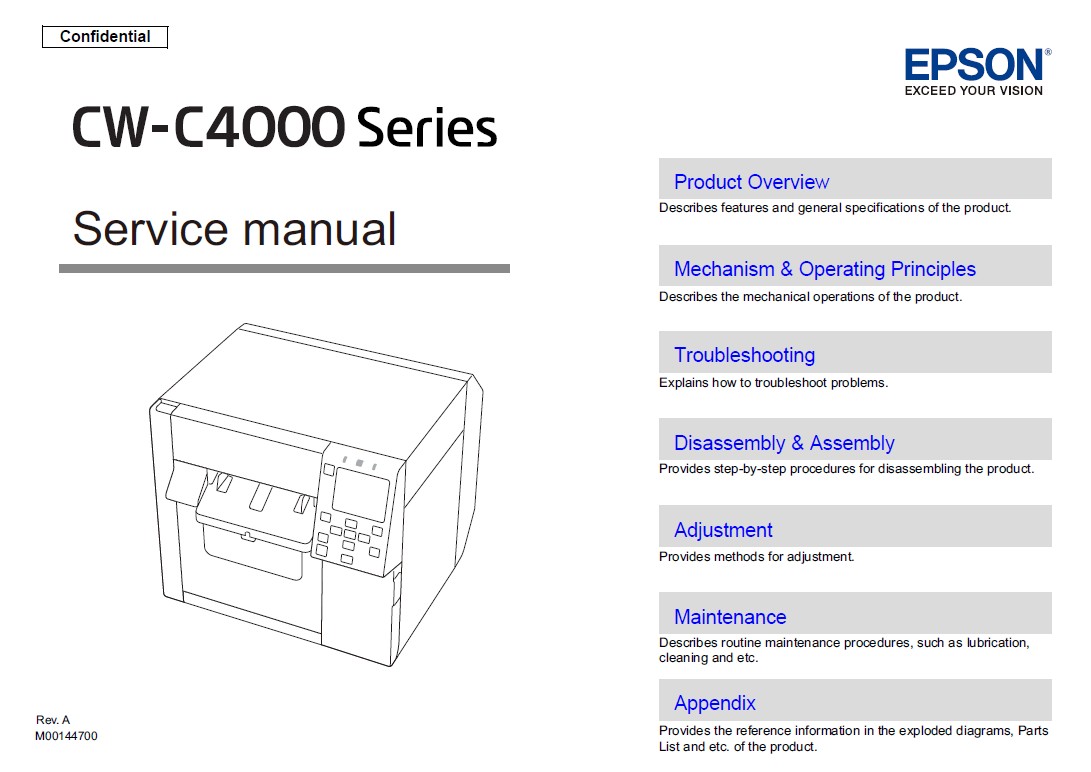
Description
Service Manual:
CONTENTS
For Safe Repair and Maintenance Work …….. 4
Key to Symbols …………..4
Safety Precautions on Handling …..4
Safety Precautions on Maintenance/Repair/Inspection ………5
About this Manual ………… 6
Aim of the Manual ………….6
Manual Content ……………….6
Revision Sheet ………….. 7
Chapter 1 Product Overview
Basic Specifications ……………12
Basic Specifications ……………12
Electric Specifications ………………13
Reliability ……………13
Ink cartridge specifications ………………14
Maintenance box specifications ……………14
Paper Specifications ……………..15
Supported Paper ………………….15
Hardware Specifications ……………….17
Dimensions and Mass ………………17
Part Names ……………17
Control Panel Specifications …………….20
Control Panel ………………20
Panel Menu Descriptions ………………21
Various Startup Mode …………………36
Setup …………..37
How to Load Paper …………….37
Installing & Replacing the Ink Cartridge / Maintenance Box …………….46
Removing Jammed Paper …………….51
Chapter 2 Mechanism & Operating Principles
Overview ……………….57
Printer Mechanism ………………..57
Motors and Sensors ……………..59
Printer Mechanism Operating Principles……………61
Print head ………………….. 61
Carriage Mechanism …………….. 63
Suction Mechanism ……………… 64
Paper Out / Feeding Mechanism ………………… 65
Ink Supply Mechanism ………………. 73
Press Pump Mechanism ………………… 74
Ink System …………………. 75
Electrical Circuit ……………..76
Basic Specifications …………….. 76
Block Wiring Diagram ……………..77
Power-On Sequence ……………….78
Power OFF Sequence ………………82
Chapter 3 Troubleshooting
Overview ……………………..84
Preliminary Check ………………. 84
Before performing troubleshooting ……………. 84
Check for the usage environment ……………….. 84
Recurrence check of the trouble ………………….. 84
Check for the counter values/history …………………. 84
Test print check …………………….. 84
How to Determine the Black Ink Type ……………….. 85
Troubleshooting Procedure ……………………… 85
Procedure after troubleshooting …………………….. 86
Maintenance Call …………………………87
Troubleshooting from Normal Error ………………….. 88
Troubleshooting from Fatal Error ……………..98
Fatal Error Classification Table …………………… 98
Fatal Error List …………………….. 99
Details of Fatal Error ………………………….. 101
Troubleshooting from Problem Phenomenon …………………….157
Problem Phenomenon Classification Table ………….. 157
Problem Phenomenon Overview ………………158
Detail of each Problem Phenomenon ………………160
Chapter 4 Disassembly & Assembly
Notes for Disassembly and Assembly ……………..189
Orientation Definition ………………………. 189
Recommended Tools …………………………..190
Shortest Route for Disassembly ………………………191
Housing ………………………191
Board …………………193
Carriage Mechanism / Ink System Mechanism ………………..194
Paper Feed Mechanism ………………………..196
Preparation for Servicing ……………………….200
Releasing the Carriage Lock ……………………….200
Ink Tube Inner Pressure Reduction/ Ink Discharge ……………………….202
Procedures for Disassembly and Assembly …………………..203
Housing ……………………….204
Board ………………..232
Carriage Mechanism/ Ink System Mechanism ………………249
Paper Feed Mechanism ………………………..289
Routing the Cables …………………332
Around the Main Circuit Board Unit (201) ……………….332
Chapter 5 Adjustment
Overview …………………………335
Precautions …………………….335
Adjustment Items and the Order by Repaired Part …………………..336
Adjustment Items ………………………..362
List of Tools/Software/Consumables for Adjustments …………………373
Adjustment Program Basic Operations ……………………..375
NVRAM Viewer Basic Operation …………………………..376
Particular Mode ………………………………..384
Sequential Mode …………………………….386
Updating Firmware …………………………….388
Diagnostics/Analyze ………………………….390
Printer Information ……………………………..390
View NVRAM ……………………………… 391
Print Nozzle Check Pattern …………………………. 392
Head Cleaning ……………………………….. 393
Repair ……………………………………394
Backup NVRAM ……………………………….. 394
Restore NVRAM ……………………………… 394
Reset Autocutter Counter ………………………….. 395
Reset Ink Tube Counter ……………………………… 395
Reset Waste Ink Absorber Counter …………………… 396
Reset Print Head Counter ………………………… 396
Reset Maintenance Pump Counter …………………. 397
Reset Pressure Pump Counter ………………………. 397
Reset PF motor Counter ……………………………. 398
Reset CR motor Counter ………………………… 398
Reset Paper out motor …………………………… 399
Reset SD Serial Number …………………………. 399
Reset for Password of Administrator ………………… 400
Reset Ink Leak Sensor ……………………… 400
Adjustment …………………………..401
PG Check & Adjustment …………………………. 401
Label Sensor Calibration ……………………… 405
Platen Fan Adjustment …………………….. 405
BM Sensor Calibration ……………………….. 406
CR Measurement …………………………………… 407
PF Measurement …………………………………… 407
Paper out motor Measurement ………………… 408
Maintenance Pump Unit Measurement …………….. 408
PW Sensor Calibration …………………….. 409
Head Incline Adjustment ………………….. 410
Bi-d Adjustment (VSD2/VSD1/VSD3) …………………… 413
Back Feed Adjustment …………………….. 414
Printing Adjustment ……………………… 416
PF Adjustment ……………………………. 417
1st Dot Adjustment …………………….. 418
GAP Position Adjustment …………………….. 419
BM Position Adjustment ………………………… 420
Cut Position Adjustment ………………………. 421
FF Paper Position Adjustment ……………….. 422
Color Calibration ……………………………423
Check Result………………………432
Image Print ……………………………….432
Print Test ……………………………….433
Back Feed Print Test ……………………….434
Nozzle Verification Technology Noise Check …………..435
CR Scale Check ………………………436
PF Scale Check …………………………..436
Paper out Scale Check ………………………437
SD Card Check ………………………….437
Nozzle Verification Technology Check …………438
Network Test ………………………………..439
Autocutter Aging ………………………440
Pressure Sensor Check ……………………..440
Sensor Check ………………………….441
Setting ………………………………….442
Serial Number Read & Write …………………….442
MAC Address Check & Input ………………….443
RTC Check & Input ……………………………..444
Head ID Check & Input ………………………445
Main Board Initial Setting ………………………..445
Set Nozzle Verification Technology Rank ………………….446
CR Unlock & CR Lock ………………………….447
Initial Ink Charge …………………………..448
Set & Reset Initial Ink Charge Flag ………………..449
Ink Tube Inner Pressure Reduction ……………..450
Ink Discharge …………………………………….452
Tube Wash ……………………………………….452
Replacement Date & Time Setting ……………….453
Change Ink Type Setting ……………………………454
Ink Type Change Date & Time Setting ……………..454
Others…………………………………..455
Panel Display Check ………………………….455
Buttons Operation Check ………………………..456
Print Head Ground Resistance Check ……………..457
Platen Ground Resistance Check …………………….458
Carriage Support Plate Ground Resistance Check ………..459
Adjustment between the Carriage timing belt and the Belt plate ………..460
Carriage Sub-shaft Adjustment ……………….. 461
PF Belt Tension Check & Adjustment …………….. 463
Wireless Network Test ………………………….. 465
Chapter 6 Maintenance
Cleaning ……………………………….467
Cleaning Exterior Parts ………………………. 467
Cleaning the Platen …………………………. 467
Cleaning the Auto Cutter …………………………. 469
Cleaning the Inside of the Printer (when Paper is fed from the Inside) ……………. 469
Cleaning the Inside of the Printer (when Paper is fed from the Outside) …………. 470
Cleaning the Maintenance Pump Unit ………. 470
Preparing for Transport ………………….472
Preparing Shipping Supplies ……………………. 472
Securing the Roll Paper Guide ……………………. 472
Securing the Roll Paper Cover ……………………… 473
Securing the Ink Cartridge Cover ………………….. 473
Wrapping with Laminated Paper ………………….. 473
Packing with the Outer Packaging Assembly ………….. 474
Long-term Storage …………………475
Before Long-term Storage ……………………….. 475
Transporting or Storing the Printer at -10°C (With Matte Black Ink Installed) …. 475
After Long-term Storage ………………………….. 476
Lubrication …………………………………..477
Lubricants ………………………………… 477
List of Lubrication Points ………………………. 477
Chapter 7 Appendix
Appendix A Parts List…………………….489
Reference Number Order …………………………. 489
Screw Types …………………………………….. 497
Appendix B Exploded Diagrams ……………………..498
MTTR Information………………………504
Ink Type Change Procedure …………………..509



Reviews
There are no reviews yet.