
Here’s What To Do If You’re Printing Needs Upgrade

Clear Choice Technical Services

Did you know that your copier/Multi-Function Printing Device is one of the most used machines in your office? Did you also know that the most upset and frustration comes when the copier may not be functioning at it’s best – and of course this is always around a deadline? Reasons to Upgrade Your Copiers and Printers 1. Improved Quality: Upgrades often come with new technology designed specifically to help you better manage your documents and improve the overall quality of your printed materials. Color printers today can actually produce the same or higher quality documents and images than you would receive from your local print shops, and at much lower prices. 2. Lower Costs: A lower cost per copy is always welcome. Because an upgraded machine operates more efficiently, newer machines will typically provide a lower cost per copy. Imagine doing your work inhouse, meeting your deadlines, reducing your reliance on print shops, saving you both time and money. 3. Less Maintenance: Upgrade your copier to replace older inefficient equipment with newer technology that will improve the overall function of your office. This translates into fewer calls to your maintenance service provider and less money spent on repairs. 4. Multifunctional: Upgrading your copiers and printers to an MFP combines the functions of copiers, network printers, scanners, and fax machines all into one device. It is more efficient and you will save on supplies and electricity. 5. Enhanced Security: Most upgrades come with new security features designed to prevent unauthorized usage. Some of these features may help you identify printing patterns which will help you set printing limits. Newer devices can also include security features that encrypt or protect the data stored on your device’s hard drive. Small technical changes, like upgrading your copiers and printers, can often improve your production possibilities in a big way. Capabilities that used to be expensive or unavailable are now standard on today’s digital devices.

Will a Small Business Copier Last as Long as a Larger One?

Clear Choice Technical Services

While the push has been toward going digital and paperless, businesses both large and small still need to utilize paper copies on a daily basis. Just because you own a small business definitely does not mean your printing needs are small. You may need more than a thousand copies a month but less than 50,000 copies. You may need a small business copier or a large model copier. It all depends on your business and your specific copying needs. When a business chooses a small business copier there are some things to consider before renting or purchasing. What to Look for in a Copier Before you purchase or rent a copier, you need to truly understand what your business needs are for a business copier. How many pages will you need to print? How much ink will you require? Colored print or black and white? How much time does the copier take to make copies? Does the copier need time to breathe so it does not overheat? Is it more economical for you to rent or purchase? What type of maintenance does your copier need? These are all things that you, as the business owner, will need to determine when deciding on a copier. How Long Should a Small Copier Last? Once you identify your copier needs, you may start wondering how long a copier should last. This is somewhat of a loaded question. How long the copier lasts depends on several factors, and these need to be considered when you either purchase or rent a copier. Also, when purchasing, you will need to consider whether you should purchase a new or refurbished copier. Factors that determine how long a copier will last are: Output – low-end floor standing copiers produce 1000 copies per month and high-end ones can produce 50,000 a month Maintenance – Regular maintenance can help your copier last for its expected lifetime Print speed Paper capacity Scanning capabilities Graphics – as production printers have different specs than business office printers Memory Inkjet or laser Color or black and white printing New or used As a baseline for how long a copier will last, five years seems is the average for the typical floor-standing copier that is used regularly. Small copiers, if well maintained and used within their parameters, can last just as long large-scale copiers. Copier Repair Should You Choose a Small or Large Copier? This question can only be answered by understanding the unique and specific copying needs of your business. Before you buy you will need to consider: The number of copies you need to produce each month Available floor space in your business or office Budget – Does your budget allow for the purchase of new equipment? Length of the copier’s life Cost to maintain, refill ink, and service Diligence in your copier purchase endeavors is key. There is no need to pay for features you will never use or buy a large floor model when a small copier will do exactly what you need and fit your space better. There are plenty of small copiers that do as good of a job as a larger copier, and they also have a life span that compares to the larger models. What are Good Brands for a Business Copier? There are plenty of good, reliable brands when it comes to business copiers. Some of those brands include Konica Minolta Canon Sharp Brother HP A 2019 review of small business copiers features several of the models listed above. In order to purchase the copier that is right for your business, you will need to review and compare printer copiers according to your needs, features offered, maintenance program, size, and other factors. How Can You Ensure You are Happy with Your Small Copier? There are a few key things that can help ensure your continued happiness with your copier. A few of these factors are: Support Maintenance contracts Skilled techs Good communication When you purchase or lease a small copier, you want to pay close attention to service agreements for maintenance, timeframes for support, and tech skill and availability. You need to be able to depend on your copier to produce quality documents without taking too much time to do so. If your copier is constantly not working correctly, it will take time away from your other priorities, like communicating with your clients and running your business, while you are bogged down arranging copier service. Knowing your copying needs and selecting a copier that fulfills them is a key part of keeping your business running smoothly. A small copier doesn’t equate to a small business. It’s all about what suits your business, and the small copier you select for your business needs to be a dependable, well-functioning member of your team. It needs to work alongside you effectively and efficiently. If you take care of your small copier the same as you would an employee, it will be a consistent and reliable asset to your business. If your location is around Miami, you may also visit Copier Lease Miami and Copier Repair Miami or call Service Location Miami (305) 203-0533

Why Do Businesses Still Buy Office Printers and Copiers?

Clear Choice Technical Services

We are in the digital age, aren’t we? Or is this back to the future? Everywhere we look, people are texting and chatting on their smartphones, sharing and storing digital files on their tablets and laptops. And still, we are seeing businesses buying office printers and copiers in almost every office. How come? We are in the digital age. We find it very convenient to share digital files, but there is still a need for paper. People still sign contracts and some legacy holdouts still like the touch and feel of paper. We have evolved and we are using less and less paper, but it’s not as bad as this article and infographic provided in 2014 by a paper and catalog company want to make you believe: Average U.S. Office Worker Uses 10,000 Sheets of Paper Per Year. And you can be glad we are in the digital age because in 2015 if we wanted to print the Internet, it would only take 136 billion pieces of standard letter-sized paper. I think mother earth can be thankful that no one has attempted this.  In the digital age, more and more businesses are going “paper-free” or “paperless” in the office and dealing with documents digitally. We work odd hours and many of our staff even work virtually. Even with our clients, we see the amount of scanning of paper documents to digital documents is on a steep rise. However, businesses still need the capability to print hard copies. Just think if you showed up to a meeting and not everyone had an electronic device with them. You print hard copies so that everyone can see exactly what you are reading from or presenting. Yes, most meetings today present on a large monitor so everyone can see and participate, but sometimes even then it’s a little difficult for those in the back of the room. Not all customers want to review or sign a contract on a digital device. Heck, everyone thought the email was going to be the death of fax machines, so why are they still in the office. Two recent studies by Wakefield Research and Info show that although there has been an increase in scanning with multi-function devices, paper printing is still a popular trend and not going away anytime soon. You can read more about their findings in this summary.  How about the legal, medical, and insurance industries? Would they be able to do business if everything was done digitally? We are moving forward and every year more of our lives become integrated into the digital world, but for now, we still see ongoing purchases for copiers and multi-function printers (MFPs) for just about every business. Have Realistic Expectations. Get over it, printers and paper are still a thing… As technology grows and develops, more and more companies are going paper-free and abandoning hard copies in favor of dealing with all of their documents over e-mail or in the cloud. Why? This is fantastic news on many levels; not only does this result in less paper and waste, but it makes many employees’ lives easier. It’s about streamlining work, productivity, and space. Technology and costs are mainly driving this trend. However, even in this digital age, it’s still necessary for offices to have the ability to print hard copies. Your office might be paper-free, but not all businesses and customers are on board yet. Hence, it’s important that your office has the ability to print hard copies for those clients who need documents in physical form. You should invest in a copier or MFP if you don’t have one. If you have one, but it’s not in working condition, call professionals who specialize in copy machine or multi-function printer repairs. Not sure how to pick the right one? Here’s an article on how to find the right printer repair company: Who provides the best copier or printer repair service? If your location is around Miami, you may also visit the Miami Copier Lease Service.

Why Copier Leasing Service Providers Are Best Copying Needs Partner?

Clear Choice Technical Services

There are a lot of things that you have to consider when buying copiers for your office. Aside from its specs that you have to thoroughly look after, the maintenance, monitoring, troubleshooting, and the people who will be responsible for the three things mentioned are also among the things that you should think about. One of the best ways for you to have a smooth and worry-free copying experience is finding the best copy leasing partner to cover all your needs. From giving the suitable copying machine to your office to providing experts to troubleshoot your device, these types of services got your back from the beginning until the end of your contract. Here are four reasons why you copier leasing services are the perfect partner for your office needs: Copier leasing services assess your needs before installing printers in your office Copier leasing services will help you at the beginning of your copier machine hunt by assessing the nature of your company, number, and printer model that you need according to your budget, and finding the perfect spot for the devices that is within reach of your employees. Through this, your investment will be secured because you have a team of expert that will provide your exact needs. Copier leasing services monitor, maintain and provide troubleshooting for your copiers Your contact with your copy leasing provider will not just take place before the device installation, after the contract signing, and end of the agreement because they will be there for you until your terms will come to an end. Copier leasing services will monitor your devices from time to time, maintain its system by providing the proper care, and sends experts who will fix your device the moment it malfunctions. Your chosen provider will also deliver the copier’s toners even before your device runs out of ink and will provide a support desk access in case you have questions about your office machine.  You will also be provided with a report of your copier’s performance as well as the total copying cost your office has made in a certain period. Through this approach, you will know if your device is helping you save money or not. Copier leasing services will help you increase the productivity of your employees Because the devices that will be installed by your copier leasing provider in your office is appropriate in your office setting and packed with the most advanced technological features, it will open doors for your employees to increase their productivity and will be competent than ever before because of their exposure to these high-tech devices.   Copier leasing services will help you dispose of outdated devices in your office Your copier leasing service provider will help in getting rid of the ineffective copier models in your office which copiers are undeniably slower, have single functions and low-quality outputs, and energy and space-consuming upon the installation of your new and state-of-the-art devices. Because of this, you can save space in your office for many significant uses. Copiers are very important tools that keep a working place running with its ability to produce photocopied documents in a short period. That is why it is important that an institution will have the most suitable devices for them to function at their peak performance.To have the best copying experience that will give no worries to the employees because of the abrupt malfunctions and toner run-outs, the best option for companies is to partner with copier leasing services like the Copiers Seattle to cater all their needs from workplace assessment, monitoring, maintenance, troubleshooting, and getting rid of outdated office machines. Not only that they will have the most suitable copiers but the performance of the employees will increase as well. If your location is around Miami, you may also visit Copier Lease Miami and Copier Repair Miami or call Service Location Miami (305) 203-0533

3 Best Networked Printer Security Practices

Clear Choice Technical Services

Is your multifunction printer connected to your network? Of course, it makes perfect sense: multiple employees can easily access the device to fax, print, scan, copy, send files and store documents. Next question – have you protected the device with the same level of security as the network it’s connected to? An unprotected or under-protected networked printer can be an access point for breach. In 2017, the security features of 20 common printer models from HP, Lexmark, Dell and Brother were tested by researchers. They found that every model was susceptible to at least one type of attack. The Risks of Not Securing Your Networked Printer Around 2005, printers became true network-attached devices and no longer just a directly or USB attached device connected to a PC or server. Almost overnight, printers became multifunction devices with access to everything on the network. Today, your network-connected printer is now internet-aware, creating new opportunities for cloud services as well as advanced features like remote management by third-party service providers. If you’re not protecting your printer with the same level of security as the rest of your network you are at risk. Hackers using simple tools can breach your network through the device and put you at risk by: Obtaining printer passwords, and passwords used for communication protocols like FTP or POP3 which can then be used to access your network Resetting printers to bypass the machines’ protection mechanisms opening you to a data breach Capturing and manipulating print jobs Forcing your printer to display a message and go offline This is just the beginning. Once a hacker has accessed your network via your printer they can cause mayhem ranging from print job manipulation or installing malicious software, to outright theft of proprietary or financial data, demanding a ransom to release it. Your printer, in essence, becomes a beachhead into your otherwise secure network. Tips for Securing Your Device The bottom line is that you need to secure your business printer just like you secure your office computer and other devices connected to your network. Here are some tips for securing your networked printer: Change your printer’s default administrator login credentials. Check for firmware and security updates. If an update is available install it immediately. Monitor your printers using monitoring and alerting software. Make sure your printer is behind a firewall and covered by network security protocols. Implement user authentication to track usage and prevent unauthorized access. Disable unused features like telnet, FTP, etc. Use the security features your printer offers like encrypted printing for sensitive documents. Isolate printers to a local network, separate from your computers and disable out-of-network communications. What works best depends on your printer, usage, and network environment. If you’re not sure where to start, give us a call and let us help you design the best security solution to meet your company’s specific needs.

Renting Vs. Buying: Which Is The Better Option?

Clear Choice Technical Services

Every start-up business owner wants to make sure that every decision they make concerning their business is the right one. With the limited amount of resources and very little manpower to work with, they want to make sure that when they put their money into something, it could help make their business grow. How do you work to make your business grow without emphasizing the need for a bigger budget? Although it may be tempting to want to buy all the equipment you need for your business, you know that you cannot afford it. So how does one stay afloat when they have limited resources but so much demand for it? This is when renting equipment comes in. Copier Rental Austin has been a lifesaver in more ways than one.  Some people say that renting equipment could only mean putting your money into something that cannot be your asset in the end. However, one should also look into the many benefits that come with renting equipment.  Here are some of them in a list: When you are down to making a choice of whether to buy a copier or rent it out, the better option is to always rent it out. Not only does that offer something truly flexible, but it also allows the business owner to grow their business and outgrow the machinery and simply replace them with the best one in the market.  The goal of every business is to make their choices worthwhile. If you choose copier rental Austin, you know you are on the right path. You will be able to test the copiers that you need and find out what exactly it is that your business needs. Deciding not to buy at the moment is a good business decision because it is strategic and economical. Two of the things you need to be when in business.

Canon Color Imageclass Mf8280cw Review: 2 Features That You Can’t Afford To Not Have In The Office

Clear Choice Technical Services

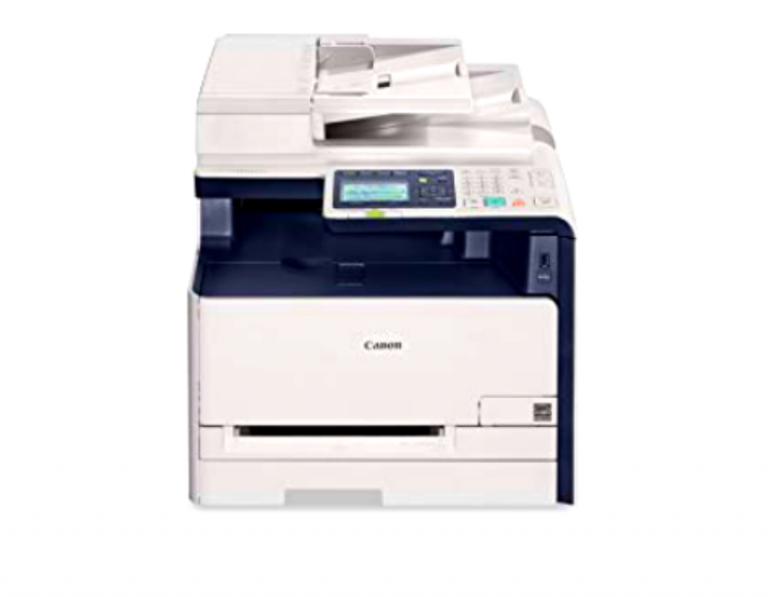
Installing technologically advanced multifunction printers in your workplace can be a great approach to improving the workflow of your business. When it comes to these devices, the best model that you should install is the Canon Color imageCLASS MF8280Cw. At the starting price of $613, you will have a machine that is an integration of four different devices. Aside from this fact, you will also have professional quality printouts that will surely satisfy the needs of your clients. Here are the two important features of Canon Color imageCLASS MF8280Cw that you should discover: 1. All-in-one functionality Canon Color imageCLASS MF8280Cw will make your printing, scanning, copying, and faxing experiences better than ever before. The device’s built-in advanced system has the ability to: -print and reproduce your documents at 14 sheets maximum per minute in 2400 x 600 dpi resolution -let you print your files from your computer, smartphone, and tablet through its mobile printing feature -reduce or zoom documents or pictures from 25 to 400 percent (in 1 percent increments) -directly send scanned files to E-mail, USB flash drive, and local network -be controlled and navigated through an easy to use 7 inches LCD panel -receive and send a fax in a speed of 33.6 Kbps (3 secs per page) in 199 destinations for group dialing and 120 destinations for broadcasting  -handle a total of 200 sheets in a single tray (50 sheets for the automatic document feeder (ADF) and 150 sheets for the multipurpose tray) 2. Conducive printing Connecting your USB flash drive, tablet, or phone to the computer just to print out or scan your  files can be time-consuming. With Canon Color imageCLASS MF8280Cw, you can simplify these tasks by directly connecting your devices to the machine. By pairing your device to through Wi-Fi, Morpia, Canon Mobile Printing, Google Cloud Print, and Apple AirPrint applications, you can now have the hard copy of your files in the span of minutes depending on the volume of the documents.  If you happen to have your documents saved in USB flash drive, you can just insert in on the printer and find the filename that needs to be printed through the LCD touchscreen. Because the device contains the function of four powerful machines, having it in the office can save space for other important stuff that you need in your operation. The said feature also increases the workflow of the employees because they no longer have to go to different areas just to print, copy, scan, or send a fax. Workplace digitalization Installing Canon Color imageCLASS MF8280Cw changes the traditional system of using single-function devices in the office. Because of this, the employees will be exposed to a new form of technologies that can help them boost their productivity and encourage them to be more competitive. Digitalization of the workplace is important in the awareness of the tasks being laid out to everyone. The said approach also gives the office staff of how the latest technology actually works to make things easier as every industry become more and more competitive each day. Having devices such as Canon Color imageCLASS MF8280Cw in your workplace is essential to equip your employees with the best machine available in the market.  The device has all-in-one functionality that allows the users to print their documents faster in professional quality resolution (through USB cord connected to the computer, wireless printing, or mobile printing), scan files in different scales, navigate their files through the LCD navigation panel, send or receive fax, and directly save the scanned files to different locations.  Aside from its promising features, Canon Color imageCLASS MF8280Cw is also a very useful machine in terms of the digitalization of the workplace that exposes the employees to new technologies of today’s generation. If you happen to live in Texas, avail Canon Color imageCLASS MF8280Cw through Copier Rental Dallas now! Sources: https://www.cnet.com/products/canon-color-imageclass-mf8280cw/ https://www.usa.canon.com/internet/portal/us/home/products/details/printers/color-laser/mf8280cw https://www.pcmag.com/review/311623/canon-color-imageclass-mf8280cw

3 Reasons Why Your Office Needs Canon Imageclass Mf247dw Laser Printer

Clear Choice Technical Services

Having a device that can only do a specific function to help you carry out tasks in your business can be an impractical investment if you think about it in the long run especially these days where outputs and services need to be done in speed without compromising the quality. What you need to help you increase the productivity of the organization is providing your employees an efficient machine that is an integration different device equipped with the most advanced technological features and this is the Canon imageCLASS MF247dw. Manufactured by one of the most trusted brands in the world, imageCLASS MF247dw is a multifunction device that performs the function of a printer, scanner, copier, and fax machine. With its unified characteristic, the workflow of the employees will also improve because they no longer have to roam around the office to go to different equipment their job done. If you think you think your office needs a new device to boost the performance of your business, here are the three reasons why Canon imageCLASS MF247dw is the best laser printer that you  should install in your workplace: 1. Canon imageCLASS MF247dw is your all around device— and more Canon imageCLASS MF247dw will take you to a whole new level of printing, scanning, document reproduction, and sending documents through fax. With its technologically advanced functionality, the device: -can copy and print as much as 28 pages in a minute -has duplex scanning and printing features (16 pages per minute) -reduce or enlarge documents or pictures from 25 to 400 percent -directly send scanned files to E-mail -has a paper capacity of 250 sheets in a single tray, 35 sheets in the automatic document feeder (ADF), and 1 sheet in the multipurpose tray -can be controlled and navigated through an easy to use and tiltable LCD panel -can transmit and receive fax documents in a speed of 33.6 Kbps (3 secs per page) -can print files without USB cord connection with its Wi-Fi Direct connectivity -has an energy saving mode feature 2. Convenient printing You no longer have to connect your computer, smartphone, tablet, and any other device just to print your documents. With its Wi-Fi Direct connectivity feature, you can now have the hard copy of the files that you need. Aside from its wireless connection feature, Canon imageCLASS MF247dw also features cloud system-based printing. The device is compatible with Cloud-Print-aware application such as Canon PRINT Business, Google Cloud Print, Apple AirPrint, and Mopria Print Service. 3. Digitization of workplace Employees of any age group are open-minded and curious to how the latest technology works that they are willing to adapt with the changes contrary to the beliefs that they will just stick to the traditional systems that they have worked with for a long time. Introducing devices such as the Canon imageCLASS MF247dw to the employees can satisfy their curiosity and make them have actual experience of how new technology works. As you familiarize them with the device, you can also make use of its features (Wi-Fi Direct connectivity, scan to email, cloud system-based printing) in digitizing the workplace. Through this, submission, execution, and receiving of the task will be done in a fast and most efficient way possible. With Canon imageCLASS MF247dw, you can now get rid of your incompetent single-function devices that affect the work pace of the employees and take most of the spaces in the workplace. The all-in-one functionality of the device, along with its cutting-edge features such as the fast-paced printing, advanced scanning capabilities, Wi-Fi Direct connectivity, scan to email, cloud system-based printing can surely increase the not only the productivity of the employees but the performance of the company in general as well. You can avail Canon imageCLASS MF247dw through your local retail stores or by signing up to copier lease providers.If your location is around Miami, you may also visit Copier Lease Miami and Copier Repair Miami or call Service Location Miami (305) 203-0533 Sources: https://www.usa.canon.com/internet/portal/us/home/products/details/printers/black-and-white-laser/imageclass-mf247dw https://www.simplycast.com/interactive-marketing-support/videos/digitizing-your-office-engaging-with-employees-digitally-and-best-practices/ https://www.usa.canon.com/internet/portal/us/home/support/details/printers/black-and-white-laser/imageclass-mf247dw/imageclass-mf247dw

3 Best Canon Multi-function Printers That Could Help You And Your Business

Clear Choice Technical Services

Multipurpose printers are among the most powerful tools that help small businesses perform tasks such as printing, scanning, reproduction of documents, and even sending files through fax. Equipped with the most advanced technology, these devices are faster, more efficient and convenient compared to the old generation printers that only carry out the single function and are difficult to manage. Canon is among the brands that produce high-quality and state of the art printers in the market. In fact, the manufacturer has constantly gained recognition in marketing the best all-in-one printers in the past years. To help you find the perfect Canon device for your small business, here are the top three multifunction printers that you can choose from: 1. Canon MAXIFY MB5420 MAXIFY MB5420 is Canon’s answer to help you meet all your business needs. The multifunction printer highlights its fast-paced bulk low-cost printing ability that you can carry out even without connecting your computer to the device. Here are other features of Canon MAXIFY MB5420 that you need to know: -can print up 24 pages per minute -has a 500-sheet paper capacity -has a four-cartridge system – touch screen LCD control panel -wireless printing through Wi-Fi Advanced connectivity, AirPrint, Canon Print app, Microsoft Mobile Print app, Morpria, and Google Cloud Print. -has Automatic Sheet Feeder -has auto 2-sided printing -reduction and zoom-in scanning (25% to 400%) -can send a fax in the speed of 33.6 Kbps in a hundred locations 2. Canon imageCLASS MF247dw Another device from Canon that you can consider for your business is imageCLASS MF247dw. With its technologically advanced capabilities, the device will surely take your business operations in the next level. Included in the device’s features are: -capability to copy and print as much as 28 pages per minute -duplex scanning and printing system that could print up to 16 pages per minute -reduce or enlarge scanning from 25 to 400 percent -scan to E-mail ability – 250 sheets capability in a single tray -automatic document feeder (ADF) -can be controlled through an easy to use and 5 inches tiltable LCD panel -can transmit and receive fax documents in a speed of 33.6 Kbps (3 secs per page) -can print files without USB cord connection through Wi-Fi Direct connectivity, Canon PRINT Business, Google Cloud Print, Apple AirPrint, and Mopria. -has an energy-saving mode feature 3. PIXMA TS9120 Canon PIXMA TS9120 is considered as the number one multifunction printer for office and home use by multiple trusted internet tech review sites. With a cutting edge compact design made to save space in the workplace, the device is equipped with technology and features that you exactly need and more than you could ever expect. Below are the features of Canon PIXMA TS9120: -can print up to 15 pages per minute -high-quality colored printing -has ChromaLife100 System that protects the picture in as long as 100 years -front and rear printing feeding system -has six-individual ink system as well as Photo Blue tank -user-friendly and tiltable touch screen LCD control panel -wireless printing through Wi-Fi Advance connectivity, Bluetooth, AirPrint (for Apple users), Canon PRINT application, Message In Print, PIXMA Cloud Link, My Image Garden Canon offers the best multifunction printers that exactly match all the support that you need in running your business. Aside from performing the functions of four devices, these machines are also equipped with advanced technology that allows you to print out or reproduce the documents without any help from USB connectors. Three of the best multifunctional printers that have been acclaimed by the experts and have recorded high copier sales are the Canon MAXIFY MB5420, Canon imageCLASS MF247dw, and PIXMA TS9120. If your location is around Miami, you may also visit Copier Lease Miami and Copier Repair Miami or call Service Location Miami (305) 203-0533 Sources: https://www.tomsguide.com/us/best-all-in-one-printers,review-2026.html https://www.usa.canon.com/internet/portal/us/home/products/details/printers/small-office-home-office-printers/mb5420 https://www.usa.canon.com/internet/portal/us/home/products/details/printers/inkjet-multifunction/ts-series-inkjet/pixma-ts9120-gray-wireless-all-in-one-inkjet-printer

Expression Photo HD Xp-15000 Wide-format Printer: 3 Best Features You Don’t Want to Miss

Clear Choice Technical Services

What’s in a printer? When looking for office equipment, it is a must that you know what you are getting yourself where you put your money in. After all, when it is for business, it is a must that you get your money’s worth. An investment can only be called such when the equipment you buy is giving you what you bought it for and more. Now, the only question left to ask is whether the printer you are thinking of buying is worth it. You pay Epson plotter dealers a visit. You look into the new Epson plotter products that they offer, hopeful that you would find the best one among the Epson plotter models. After all, an Epson plotter is always one of a kind. It delivers excellent prints every time. Best Features How do you know that you are already looking at the right printer? You must have considered so many and made a short list of your favorites. It must have included the Epson Expression Photo HD XP-15000 Wide format printer. Who wouldn’t want to have this excellent product in their offices when it is able to deliver more than what is promised. Here’s a list of this printer’s best features and why you should take it with you: Is it a great investment? If your idea of an investment is putting your money in something that will surely give a stable return, then this printer is an investment package as it is. Not only will it give your high-quality prints, but it will provide you with comfort knowing that it can easily be transported from one place to another without discomfort. Although it may seem too expensive for such type of printer, it is best to remind ourselves of what printers should be. If you want to see value in your investment, then take a look at the prints. Ask Epson plotters authorized dealers and you will find yourself making a good choice right here. If your location is around Chicago, you may also visit Copier Lease Chicago, Copier Rental Chicago, Copier Chicago and Copier Repair Chicago or call Service Location Chicago (312) 216-0722

Copier Lease Request


This will close in 0 seconds

Service Request

Quality and Affordable Service, Repair, and Maintenance for Your Copiers and Printers

Your business productivity is important to us, which is why we provide a hassle-free and affordable service for all models of copiers and printers in any condition. We offer great value for the money when it comes to our repair and maintenance services.

  • Factory certified and highly qualified service technicians
  • A highly trained service technician onsite within 24-48 hours
  • Affordable rates starting at $85/hour
  • High inventory of repair and replacement parts for most copier and printer brands

We are a one-stop shop for all your copier and printer repair and maintenance needs. 70% of our service requests are resolved on the 1st visit. You are guaranteed prompt and quality service wherever you are in the US.

For fast, reliable, and quality maintenance and repair for your copiers and printers, the choice is clear: Clear Choice Technical Services!

For an accurate diagnosis and a faster transaction time, please fill out the form below.


This will close in 0 seconds

Remote Computer/Copier/Printer Support

Remote Support Information

*Copier and Printer

We typically connect to your computer, which should be on the same network as the copier. This allows us to access the copier's Web Interface for more effective troubleshooting and to adjust any settings that may require modification or configuration.

*Computer

We will explore various troubleshooting steps, and if the issue is related to the network, we may discuss it over the phone without remote access until we resolve the problem.

Machine Capability

Please confirm if your copier can still copy or print standalone (e.g., without any computer or network connection) to ensure we address your issue effectively. Complete this questionnaire to the best of your ability, and we will get back to you promptly to schedule remote support. Thank you for choosing our services, and we look forward to assisting you.


This will close in 0 seconds

Maintenance Contract

[contact-form-7 id="3fd83a9" title="Maintenance Contract"]


This will close in 0 seconds

Short Term Rental

This will close in 0 seconds

This will close in 0 seconds