
3 Best Networked Printer Security Practices

Clear Choice Technical Services

Is your multifunction printer connected to your network? Of course, it makes perfect sense: multiple employees can easily access the device to fax, print, scan, copy, send files and store documents. Next question – have you protected the device with the same level of security as the network it’s connected to? An unprotected or under-protected networked printer can be an access point for breach. In 2017, the security features of 20 common printer models from HP, Lexmark, Dell and Brother were tested by researchers. They found that every model was susceptible to at least one type of attack. The Risks of Not Securing Your Networked Printer Around 2005, printers became true network-attached devices and no longer just a directly or USB attached device connected to a PC or server. Almost overnight, printers became multifunction devices with access to everything on the network. Today, your network-connected printer is now internet-aware, creating new opportunities for cloud services as well as advanced features like remote management by third-party service providers. If you’re not protecting your printer with the same level of security as the rest of your network you are at risk. Hackers using simple tools can breach your network through the device and put you at risk by: Obtaining printer passwords, and passwords used for communication protocols like FTP or POP3 which can then be used to access your network Resetting printers to bypass the machines’ protection mechanisms opening you to a data breach Capturing and manipulating print jobs Forcing your printer to display a message and go offline This is just the beginning. Once a hacker has accessed your network via your printer they can cause mayhem ranging from print job manipulation or installing malicious software, to outright theft of proprietary or financial data, demanding a ransom to release it. Your printer, in essence, becomes a beachhead into your otherwise secure network. Tips for Securing Your Device The bottom line is that you need to secure your business printer just like you secure your office computer and other devices connected to your network. Here are some tips for securing your networked printer: Change your printer’s default administrator login credentials. Check for firmware and security updates. If an update is available install it immediately. Monitor your printers using monitoring and alerting software. Make sure your printer is behind a firewall and covered by network security protocols. Implement user authentication to track usage and prevent unauthorized access. Disable unused features like telnet, FTP, etc. Use the security features your printer offers like encrypted printing for sensitive documents. Isolate printers to a local network, separate from your computers and disable out-of-network communications. What works best depends on your printer, usage, and network environment. If you’re not sure where to start, give us a call and let us help you design the best security solution to meet your company’s specific needs.

3 Best Canon Multi-function Printers That Could Help You And Your Business

Clear Choice Technical Services

Multipurpose printers are among the most powerful tools that help small businesses perform tasks such as printing, scanning, reproduction of documents, and even sending files through fax. Equipped with the most advanced technology, these devices are faster, more efficient and convenient compared to the old generation printers that only carry out the single function and are difficult to manage. Canon is among the brands that produce high-quality and state of the art printers in the market. In fact, the manufacturer has constantly gained recognition in marketing the best all-in-one printers in the past years. To help you find the perfect Canon device for your small business, here are the top three multifunction printers that you can choose from: 1. Canon MAXIFY MB5420 MAXIFY MB5420 is Canon’s answer to help you meet all your business needs. The multifunction printer highlights its fast-paced bulk low-cost printing ability that you can carry out even without connecting your computer to the device. Here are other features of Canon MAXIFY MB5420 that you need to know: -can print up 24 pages per minute -has a 500-sheet paper capacity -has a four-cartridge system – touch screen LCD control panel -wireless printing through Wi-Fi Advanced connectivity, AirPrint, Canon Print app, Microsoft Mobile Print app, Morpria, and Google Cloud Print. -has Automatic Sheet Feeder -has auto 2-sided printing -reduction and zoom-in scanning (25% to 400%) -can send a fax in the speed of 33.6 Kbps in a hundred locations 2. Canon imageCLASS MF247dw Another device from Canon that you can consider for your business is imageCLASS MF247dw. With its technologically advanced capabilities, the device will surely take your business operations in the next level. Included in the device’s features are: -capability to copy and print as much as 28 pages per minute -duplex scanning and printing system that could print up to 16 pages per minute -reduce or enlarge scanning from 25 to 400 percent -scan to E-mail ability – 250 sheets capability in a single tray -automatic document feeder (ADF) -can be controlled through an easy to use and 5 inches tiltable LCD panel -can transmit and receive fax documents in a speed of 33.6 Kbps (3 secs per page) -can print files without USB cord connection through Wi-Fi Direct connectivity, Canon PRINT Business, Google Cloud Print, Apple AirPrint, and Mopria. -has an energy-saving mode feature 3. PIXMA TS9120 Canon PIXMA TS9120 is considered as the number one multifunction printer for office and home use by multiple trusted internet tech review sites. With a cutting edge compact design made to save space in the workplace, the device is equipped with technology and features that you exactly need and more than you could ever expect. Below are the features of Canon PIXMA TS9120: -can print up to 15 pages per minute -high-quality colored printing -has ChromaLife100 System that protects the picture in as long as 100 years -front and rear printing feeding system -has six-individual ink system as well as Photo Blue tank -user-friendly and tiltable touch screen LCD control panel -wireless printing through Wi-Fi Advance connectivity, Bluetooth, AirPrint (for Apple users), Canon PRINT application, Message In Print, PIXMA Cloud Link, My Image Garden Canon offers the best multifunction printers that exactly match all the support that you need in running your business. Aside from performing the functions of four devices, these machines are also equipped with advanced technology that allows you to print out or reproduce the documents without any help from USB connectors. Three of the best multifunctional printers that have been acclaimed by the experts and have recorded high copier sales are the Canon MAXIFY MB5420, Canon imageCLASS MF247dw, and PIXMA TS9120. If your location is around Miami, you may also visit Copier Lease Miami and Copier Repair Miami or call Service Location Miami (305) 203-0533 Sources: https://www.tomsguide.com/us/best-all-in-one-printers,review-2026.html https://www.usa.canon.com/internet/portal/us/home/products/details/printers/small-office-home-office-printers/mb5420 https://www.usa.canon.com/internet/portal/us/home/products/details/printers/inkjet-multifunction/ts-series-inkjet/pixma-ts9120-gray-wireless-all-in-one-inkjet-printer

Cloud Computing: All You Need To Know

Clear Choice Technical Services

Many people are asking, “what the cloud is?” Is it safe to use for personal purposes and businesses? Would your data be absolutely secured through its aid? Why would you use the service in the first place? Before anything else, you should know that the “cloud” is totally different from what we know of the global internet. Yes, it is true that there are parts of the cloud that can be accessed through the internet, but they are two completely different things. So what is the “cloud” then? Cloud computing for businesses allows access to software on the internet as a safe way to store and share data and other it services. It also enables access to the server, database, and application resources. Specific application services will be found either over a private, public, or combinations of both networks. Some examples of platforms that offer public clouds, which you may know already, include Amazon Web Services and Google Cloud Platform. Other options for the groups of services that provided cloud computing include IaaS, PaaS, and IaaS. Each of these also has subcategories that will make your cloud computing services options appear to be varied and plenty from different “cloud” providers. Why you need “cloud”? The services brought by “cloud” are accessible anytime and anywhere for the completion of your specific tasks. It is so convenient to use, which can lead to a reduced number of workstations and allow employees work from their homes. Cloud computing also offers diminished costs since you will not be needing to pay for the hardware and overall data center. Those are expensive as you know, as well as the other expenses like energy consumption. Also, you need to buy the appropriate equipment and hire staff to install and maintain it for you. If you opt to avail cloud computing, you will only pay for the specific services that you will be needing. You do not have to worry about the changing needs of the servers, storage, and licenses that you have purchased, because your provider will arrange the scaling of your “cloud” for you. All the updates for your information technology needs are automatically accessed and included in the service fee. Another advantage of availing cloud computing is the backup storage that it provides. The data that you upload will always be there as long as you are connected to the internet. You will never lose any data through the “cloud” because of its additional disaster recovery features. Even if you experience any natural disaster, power failures, and the likes, your data is adequately backed up and protected. It will also ensure the security of your data due to its anti-breaching of security measures. Cloud Computing For Business Collaboration between staff members and business owners becomes so easy because of cloud computing. To use the “cloud,” all you need is a reliable internet connection and a high-performing service provider. Your team’s performance will significantly improve because of the convenient sharing and storing of data on the “cloud.” The communication with your fellow collaborators, most importantly, will be efficient; thus, allow a productive completion of every project. Call us now for more information.

Canon Plotter iPF750: The Environment-Friendly Model

Clear Choice Technical Services

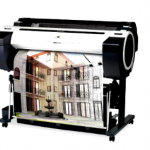
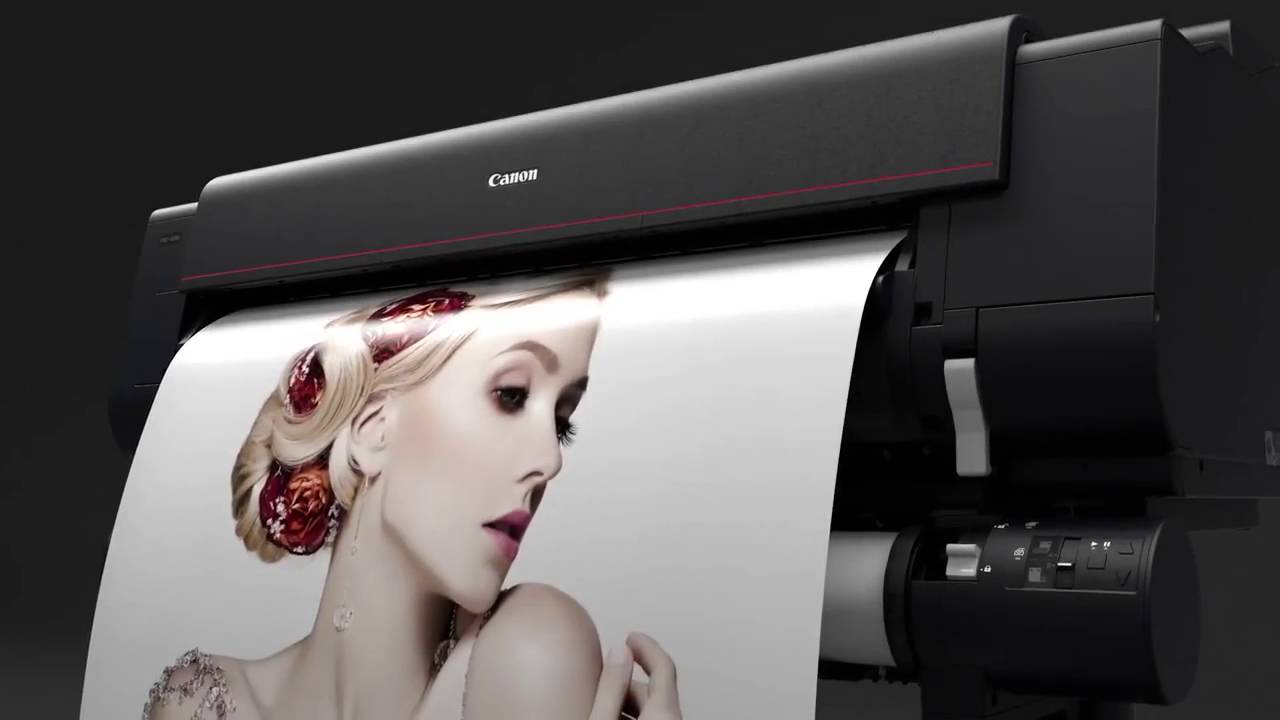
Canon Plotter iPF750: The Environment-Friendly Model. Looking for a printer that suits office work outputs, as well as different industries and other applications? Or just a printer for your personal use and small working groups? Whatever it is, seek for Canon plotters. All of the printers they made have exceptional quality and produces prints that are consistently vivid, almost accurately plotted from what you have designed on your computer. The Canon plotters for sale are also designed to be safe for the environment. It contains easily accessible operations, which make its usage hassle-free even its installation. Have you checked out the Canon imagePROGRAF iPF750 yet? What can it offer? The imagePROGRAF iPF750 is an amazing product released by Canon that possesses the usual features of the company’s plotters. It contains preset document profiles that are easy to use, printing applications and media that allow automatic options for quality printing, editable documents through preview settings, economy print mode, borderless printing, and many others. Just like the other printers of Canon imagePROGRAF, this printer can do high-speed printing with 24”x36” drawing created in just 28 seconds. It is also productive to use due to its continuous printing without interruption, which is made possible by its revolutionary sub-ink tank system. You can replace the ink on a cartridge even when it’s printing. Another awesome feature is the precision high-density printing of iPF750. It is designed for fast operations and advanced output production because of the nozzle form developed to reduce satellite ink, create vivid images, and reduces mist. The image produced is nothing but accurate, sharply detailed, and the best quality. The iPF750 also contains the Print Job Accounting Manager with the following features: autorotation, auto nesting, log recording time, job name, client ID, execution and complete time and state, ink consumption per job, number of completed pages, and media consumption per job. The accounting features of Canon plotters calculates the cost of printing consumptions that allows you to track your expenses in print jobs. The iPF750 plotter has also HDI driver for AutoCAD application, which creates an upgraded and accurate graphical representation of the plotted image for a more advanced precision drawing of the data. What’s in the box? Do not hesitate to buy any Canon plotter printer. You will never regret getting it especially if you use it for business and receive the return of your investment. When you purchase a package of Canon imagePROGRAF iPF750, expect the contents to be the following: scanner with power cord and USB cable, printer stand, computer and some software, touch-screen monitor, scanner installation and instruction manual, scanner calibration sheet, keyboard and mouse, printer with stand and basket, roll holder and core adapters, print head, cartridge, ink tanks, Ethernet card, user manual CD, reference guides, menu map, power cord, PosterArtist, and others. The plotter that you will be assembling is space-saving and contains a small footprint with accessible operations. It is specifically designed with concern to the environment; produced by less plastic and minimal carbon dioxide emissions. If your location is around Chicago, you may also visit Copier Lease Chicago, Copier Repair Chicago and Copier Rentals Chicago or call Service Location Chicago (312) 216-0722

3 Best Features Epson Surecolor P600 Wide Format Inkjet Printer

Clear Choice Technical Services

What makes a good printer a good one? The first thing that everyone should look for when it comes to their printer is the quality of the prints it makes and then the Epson plotter price. This could change the name of the game because you are buying a printer for the very purpose of making good prints out of it. If the printer that you like does not produce the kind of prints that you want and need, no matter how seemingly affordable it is, there is no point of buying it over the others that can deliver better. After all, the prints that you make says a lot about your business and you wouldn’t want customers thinking you are not as good as they think you are, right? What should you look for in an Epson plotter printer then? If you are opting to buy the Epson SureColor P600 wide format inkjet printer, it is a must that you look into what it can offer. There are several other printers of its type available in the market, and these are the top features of this printer that will make it worthy of your investment. Top 3 Best Features To Beat When it was first introduced in the market in 2014 during a trade fair, it remained to be one of the most interesting products from Epson Printer Technology. As soon as it hit the market in January of 2015, people can’t help but put their money in this printer for the Epson plotter price was simply affordable. When asked, here are the top 3 features of this printer that they just could not resist. Is it a worthy investment? When you look at just the facts, you know that what you have is indeed an investment. Buying this printer is one of the best ones you’ll make for your business or for your life. There is nothing like good printing technology in this Epson printer. If your location is around Chicago, you may also visit Copier Lease Chicago, Copier Repair Chicago, Copier Chicago, and Copier Rental Chicago or call Service Location Chicago (312) 216-0722

4 Best Color Printers With Envelope Feeders: Which One Is Right For You?

Clear Choice Technical Services

Envelopes are often the least thought about when it comes to office items. Employees stuff them with a brochure or a letter and then drop them in the mail, yet don’t even get a second thought about it. However, once it leaves the hands of the sender and reaches the mailbox of prospective clients, it becomes a determining factor whether the contents are tossed or read. Such responsibility is placed on the envelope, as it proves to be an important part of the package. Below are some of the top-rated printers that come with an envelope feeder. HP LaserJet Pro M130nw M130nw is a good choice for small offices that need require a quick and versatile mono multifunction printer that can also be used by a few colleagues. speed and print quality are both impressive and superior to other priced inkjet printers. With two HP Envelope Feeders, M130nw can print up to 150 professional-looking envelopes at a time. However, one drawback to this machine is the need to look for a cheaper toner and drum cartridges for replacement.Nevertheless, the HP LaserJet Pro M130nw simplifies business mailing by producing up to 75 envelopes in a fast and efficient way. Epson WorkForce Pro WF-6091 The WF-6091 may be a single-function model but it’s a popular choice when leasing printers due to its higher duty cycle of 75,000 pages per month and faster print speeds of 16ipm for duplex and 24ipm for simplex. To lessen downtime, the machine’s high-capacity ink cartridges can produce up to 7,000 pages in color and 10,000 pages in black. This Epson model can be used in several ways like through email print, the Epson iPrint app, or services such as the Apple AirPrint and Google Cloud Print. It comes with an 80-sheet rear tray and 500-sheet paper cassette, although the capacity can still be increased by having two optional 500-sheet cassettes. Epson WorkForce WF-71111 A3 Wi-Fi Duplex The Epson WorkForce WF-71111 is an A3+ printer that offers flexible paper handling and high-volume printing. With a print speed of up to 32ppm, it is equipped with a 2.2’ Mono LCD, an Epson DURABrite Ultra Ink, Ethernet, Wi-Fi, Wi-Fi Direct, and USB 2.0. The features that come with the machine enable sharing one printer with several computers in the office or at home through a wired or wireless network. In addition, a single-sheet feeder that it provides will allow setting of labels, envelopes, thick paper, and special photo paper. HP OfficeJet Pro 7720 Wide Format Some printers are best suited for printing an oversize page without breaking them apart in great stacks. This is due to the fact that these machines feed the oversize stock through a paper-bypass slot on the rear of the printer. Incidentally, HP OfficeJet Pro 7740 has a tray or trays that are designed for pre-loading a wide-format stock. This means less time for multiple-page oversize prints. When buying or leasing printers with an envelope feeder, the first thing to ask should be how much it is going to be used. For a large office, the printer must be able to perform for a huge number of people at high speeds, but for in-home use only, an entry-level will be alright. If your location is around New York, you may also visit Copier New York and, Copier Lease New York or call Service Location NEW YORK : (866) 620-2287

How Not To Own Outdated Copiers?

Clear Choice Technical Services

Nowadays, printers have turned out to be more affordable while progressively being as full-of-features copying hardware. Looking for a printer can be as dubious as purchasing a smartphone, especially when there are several competitive options in the market. Furthermore, here are the things that we need to be aware of before having a copier long beach equipment: Minimize your expense through renting. Renting the machine would assume control over a year as the tenant might pay more than the actual rate of the device itself. Be that as it may, while the month to month rate for the capital rent might be higher as a hundred percent cost of the gear is being financed, it offers a favorable position for residents. This is most especially beneficial to those who plan to acquire the device as the purchase alternative stipulated expense in the agreement toward the start of the contract. As far as getting pieces of equipment, particularly printers and copiers for a company or home utilization, renting the long beach device is credible, free, and profitable in today’s generation. It is one method for keeping the business in the current and maintaining a strategic distance from and out of date quality. Every association ought to have different procedures and methodologies accessible to accommodate the organization’s needs from its business tasks to showcasing techniques to the front liner of the association or their workers. It is one of the keys to remaining above water in the opposition. The emergence of advanced technologies in the market today has led to the prompt evolvement of available equipment, even those recently released models. Several companies and businesses have developed a variety of models equipped with better features making it insignificantly more appealing and beneficial to the users. With such advancement each new model possessed, it is inevitable that price tags would also cost an arm and a let. It is in this situation when leasing would be your smarter option. The consumers can acquire quality outputs at a lower cost. Another exceptional feature about renting is it does not only provide inexpensive upfront costs, but preserves balance as well. Learn about the benefits of renting a copier long beach machine. For the efficiency of data scattering inside the workplace, renting or buying printers for office utilization is fundamental. Furthermore, when caught between renting or buying a printer, you have to burrow data for your leverage. Henceforth, it is necessary to think about each point of your choice by gauging the advantages and disadvantages. Renting lets you avoid out of date models. Large assembling organizations for copiers and printers are in steady rivalry with one another, endeavoring hard to be the chief in the market. However, some printing pieces of equipment have failed to execute their processes and operate on daily operations due to outdated features and technical issues. Therefore, printer and copier organizations are continually redesigning the highlights of their most recent lines of hardware, giving the freshest models in the market. Renting hardware is a simple method to obtain the most recent accessible model, subsequently, staying away from out of date quality, or, in other words, on worry for a few organizations. It is individually the people who have had acquired large gear in the past which have been dumped or have gathered dust in their storage spaces. Renting provides fewer hassles. At the point when businesses lease their printer or copier, replacing or discarding the equipment is superfluous since the contract for gears will stay to the printer leasing services. Moreover, renting is advantageous since most hardware suppliers offer support designs, which they incorporate into the rent itself — it is possible that it comes as a free administration or paid alternative. If your location is around Sacramento you may visit Copier Lease Sacramento, Copier Repair Sacramento and Copiers Sacramento or call Service Location SACRAMENTO: (916) 245-6006

HP LaserJet 3055 Review: This Is A Warning Before Purchase

Clear Choice Technical Services

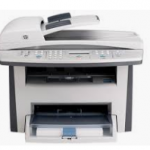
The printing industry has surged in popularity due to the advancement in technology for the past several years. Most manufacturers developed a wide array of printer options with a variety of distinct features for daily operations. Small-scale businesses and multinational companies seek printer devices which can meet their daily business requirements and produce high-resolution text documents at low cost. Hewlett Packard or commonly known as HP released a multifunction printer in 2005, the HP LaserJet 3055 All-in-One Multifunction Printer, which combines laser print technology with basic functionalities such as scan, fax, and copy. It is a compact size laserjet printer which measures 19.6 inches wide, 16 inches deep, and 15.5 inches high, while it weighs 26.45lbs. Users must install the printer drivers and full software package included in the box to use the printer with computer hardware. Key Features and Specifications Interface Ports The LaserJet 3055 model consists of two interface ports — the 10/100Base-T network port and the Hi-Speed USB 2.0 port. Quick High-resolution Prints This multifunctional printer offers the consumers a fast printing up to 19 ppm (paper per minute) and high-quality printouts of up to 1200 dpi (dots per inch). Compact Versatility HP incorporated all essential functionalities of a printer — printing, copying, faxing, and scanning — in the LaserJet 3055. It allows users to utilized these versatile features for daily business operations. The Downside of HP LaserJet 3055 The most evident deadfall of the HP LaserJet 3055 All-in-One Multifunction Printer based on user reviews is the software incompatibility. If the computer hardware of the end-buyers meets the minimum requirements to install the software, they have two installation options from the CD included in the package of the LaserJet 3055 all-in-one. A printer driver software allows the computer to communicate with the HP LaserJet 3055 model to access the advanced features of the product which include watermarks insertion, documents resizing, and custom-sized printing. There are several supported printer drivers for Windows-based operating systems such as Windows 98, Windows Millenium, Windows 2000, Windows XP, and Windows Server 2003 included in the CD or available on the official website of HP. However, HP clarified that not all product features are available from all drivers or operating systems like Windows Vista. Based on one review from newegg.com, although HP released a Vista driver in 2007, the LaserJet 3055 was still unreliable in Windows Vista, and the scan function did not work consistently. Another consumer reviewed the product in Amazon and stated that the printer device caused several problems to the computer hardware including hard drive crash and slow processes due to CPU hogging. Moreover, the user added that if he connects the LaserJet 3055 to the USB port of the computer hardware, it disables all other devices connected to the port. The cost of multifunctional printer devices does not come inexpensively especially for well-established brands like Hewlett Packard. Before deciding between purchasing or leasing a printer device, business owners and home employees within a budget should consider several factors such as the value of the investment, durability, and quality of the printer. In today’s economic market, small-time businesses and even multinational companies turn to refurbished or leased copiers to reduce their financial cost. If your location is around Phoenix you may visit Copier Lease Phoenix, Copier Repair Phoenix and Copier Rentals Phoenix or call Service Location Phoenix (602) 428-6500

Why You Need a Plotter

Clear Choice Technical Services

PRINTING MOSTLY ENTAILS the use of a printer, but that isn’t always the case. Especially, not with plotters. This is one of the best devices that produces a hard copy of an image. Plotters rarely come to mind as it is not so popular among common people since this is something that specializes in producing hard copies of designs. By designs, we don’t mean the beautiful artistic ones you see in paintings or drawings, but rather, the highly accurate two-dimensional designs used for buildings, houses, cars, and the likes. In that sense alone, if you require this certain kind of device, then a plotter is probably the device for you and here’s why: Unlike a printer, a plotter can draw images on just about any surface whether it be on a wood, canvas, styrofoam, or just about anything that’s relatively smooth and flat. You see, a plotter is basically a machine that draws an image using robotic arms so it doesn’t require the medium to be inserted into the machine like how it is with a printer or copier. Aside from the flexibility in terms of materials that can be printed on, a plotter could also do its sketches on a larger area as opposed to the typical bond paper. Designs are usually printed on areas extending to a few feet in width, for ease, clarity and overall practicality, for the benefit of those who are actually in charge of constructing the design. Lastly, a plotter device can save its designs on a disk, allowing it to reproduce the designs a thousand times over if needed. This lessens redundant efforts and allows a speedy reproduction. With all these advantages, we can say that a plotter is a good investment for those in the designing business. You can lease out or buy one if it means quality and accuracy, then you know you are making the right choice. If your Location is around Chicago, you may visit Copier Leasing Chicago, Copier Repair Chicago, Copier Rental Chicago, Copier Chicago or call Service Location Chicago (312) 216-0722

6 Reasons Why Canon Pro-4000 Is Superior?

Clear Choice Technical Services

Canon, one of the innovators for printers, has brought another exciting addition to their collection. The release of Canon Pro-4000 in the market is making another significant mark in the world of professional plotters services. Bigger Touch Screen Display If you have been bothered at the minute size of your printer’s touch screen display, here’s an innovation from Canon. There is no need to fiddle blindly on a small pad when Canon Pro-4000 has a phone-sized sensitive colored touch screen to make things easier for you. It is also equipped with a light printer status indication at the top portion of the screen. When the printing is normal, a white light is emitted; however, a red light calls for immediate attention. It can be seen easily even from across the room. Smaller but More Efficient Compared to its predecessor, which was 44” x 74.5,” this is made more compact with a width of just below 63”. Even if you compare it with Epson’s compact model of 44” x 74,” this is by far smaller. It was cleverly designed to be modern, yet small enough to take with you wherever you do business. Wireless Connectivity for Convenience Wireless connectivity is not a new feature among printers, but with a large format printer like Pro-4000, it is definitely an advantage. The modern technology is offering wider coverage and fast Wi-Fi networks. It helps to have a machine that is at pace to the digital world. Pro-4000 has a USB port for printing from USB stick as well as WiFi connectivity feature. It also offers printing from smart devices like tablets or phones with IT Services Philadelphia. Improved Print Quality Canon did not work only on enhancing the external features of their printers. Pro-4000 has an improved print quality. Visual improvements have been created through dense screening, thinner pigment encapsulation, and chroma optimizer. Its printouts on glossy papers have a different appearance when exposed to different angles and light. Better Cutting Technique It is common among Canon printers to be utilizing rotary blades. In fact, dual rotary blades have been utilized on their recent models. With Pro-4000, they used a better technique. It has a separate cutter carriage mechanism, which is strong enough to cut through cotton papers and the thickest canvas. It keeps the debris out of the print heads’ ways to avoid risks of particle buildup. Built Stronger When a tsunami hit Canon’s facilities, the company had to take their manufacturing elsewhere and relied on their Chinese partners. However, parts produced had reliability issues. Now, Canon moved to the finest technological advancements in Japan for their manufacturing. They also have facilities in Thailand to help out with production. These changes resulted to a reliable printer made from state-of-the-art design using durable materials with Copier Lease Philadelphia. Canon Pro-4000 is one compact multifunction printer. It is small enough to be portable, yet durable enough to perform what is expected from it. Speed and quality of prints are above satisfactory level, for sure. If you are looking for a new printer from plotters repair services experts, why not consider getting Canon’s Pro-4000?

Copier Lease Request


This will close in 0 seconds

Service Request

Quality and Affordable Service, Repair, and Maintenance for Your Copiers and Printers

Your business productivity is important to us, which is why we provide a hassle-free and affordable service for all models of copiers and printers in any condition. We offer great value for the money when it comes to our repair and maintenance services.

  • Factory certified and highly qualified service technicians
  • A highly trained service technician onsite within 24-48 hours
  • Affordable rates starting at $85/hour
  • High inventory of repair and replacement parts for most copier and printer brands

We are a one-stop shop for all your copier and printer repair and maintenance needs. 70% of our service requests are resolved on the 1st visit. You are guaranteed prompt and quality service wherever you are in the US.

For fast, reliable, and quality maintenance and repair for your copiers and printers, the choice is clear: Clear Choice Technical Services!

For an accurate diagnosis and a faster transaction time, please fill out the form below.


This will close in 0 seconds

Remote Computer/Copier/Printer Support

Remote Support Information

*Copier and Printer

We typically connect to your computer, which should be on the same network as the copier. This allows us to access the copier's Web Interface for more effective troubleshooting and to adjust any settings that may require modification or configuration.

*Computer

We will explore various troubleshooting steps, and if the issue is related to the network, we may discuss it over the phone without remote access until we resolve the problem.

Machine Capability

Please confirm if your copier can still copy or print standalone (e.g., without any computer or network connection) to ensure we address your issue effectively. Complete this questionnaire to the best of your ability, and we will get back to you promptly to schedule remote support. Thank you for choosing our services, and we look forward to assisting you.


This will close in 0 seconds

Maintenance Contract

[contact-form-7 id="3fd83a9" title="Maintenance Contract"]


This will close in 0 seconds

Short Term Rental

This will close in 0 seconds

This will close in 0 seconds