3 Most Crucial Benefits of Wireless Multi-functional Printers

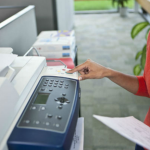
From the time of its invention up to the recent times where there is a dramatic transition from the traditional methods to the adaptation of the massive technological innovations, printers have played a big role in the success of every industry. Modern day printers are much more reliable, efficient, and produces high-quality output compared to the ones being sold in the market ten years ago. In the past, printers sole function is only for printing and uses a specific cable as it is connected to the computer. They are also very sensitive to use, consume much energy, and hard to troubleshoot. The fact that users have to buy new cartridges as soon as the in runs out is also a waste of time and money. The wireless multifunctional printers are the latest set of this type of device most consumers now prefer because of the advantages it possesses. Not only that they increase the productivity of an individual or workplace but they also produce outputs at high speed. Below are the 3 most important benefits of wireless multifunctional printers: Convenience Wireless multifunctional printers provide convenience at home and in the workplace. The fact that it does not need to be connected to a USB cable changes the game as users do not need to necessarily have to set up the connection between the computer and device. In just one click, the student member of a household no longer have to run to computer shops for they can have the hard copy of their projects or home works laid on their hands in a short span of time by connecting their mobile to the printer through the Wi-Fi. Fathers can also have the copy of important documents for work scanned and reproduced right away without much effort as most printers nowadays are built to be multifunctional. Meanwhile, in workplaces, printers make it easier for the employees to transfer the information from the computer to a piece of paper for whatever purpose they may serve. Its quality has also the power to bring a business to the top or can pull it down to the bottom. If the printer is slow or facing technical problem, it can surely affect the transaction of an institution. Aside from its ability to print, scan, and reproduce documents, printers also have the capability of sending data through fax. The said feature is very useful to companies values data secrecy. Easy Connection Wireless multifunctional printers have a Wi-Fi direct feature. This allows the users to connect to the printer not only through their computers but to other devices that have Wi-Fi access such as tablets and smartphones. All the users have to do is add the printer to the devices that can have access to their phone or computer. If the WPS PIN appears when connecting, they can find the security code in the printer manual or control panel. Cost Efficiency The Wireless multi-functional printers are the integration of the function of a computer printer, scanner, copier, and fax machine packaged in one device. Because of this all-in-one feature, consumers save money and storage space. These devices also come with Econo-mode printing and power saving functions so users are assured that they have a wireless environmentally-friendly device that is not a burden to their bills. Wireless multi-functional printers are the type of devices one should consider when choosing the product that could benefit them very well, especially when they are looking for one that can provide convenience, ease of connection, and is cost-effective. It won’t only give them quality output but step up their game as well. If your location is around Phoenix you may visit Copier Lease Phoenix ,Copier Repair Phoenix and Copier Rentals Phoenix or call Service Location Phoenix (602) 428-6500
3 Best Picture Printers MFP 2019

What’s in a printer? In the past, this technology was limited to producing documents to help for business filing and the like. However, as the demand for technology to improve, printers have become more than just what their name suggests. There are some printers that function as copiers too. There are also others that function as a fax machine and as an added bonus some printers are multi-functional that they act as scanners too. If you are not sure which multi-functional printer to buy, it is best to look into what copier lease services offer. Most of the time, they offer you the best that the market has to offer. When you avail of their services, it would be much easier to make an evaluation of what printer model could work for you and what would possibly not. At least, you would have that opportunity without spending so much on a printer you might not need at all. Discovering Photo Printers Whether you are a professional photographer or just keen on taking photos to capture family moments, buying the right photo printer should be a priority. They make sure that you have prints of those moments that you will love to look at. Among all those printers available, which one is a good buy for you? Here are the top three in a list: Epson Expression Photo XP-960 This is a small printer but one with exceptional A3 photo quality. It comes with a six-ink system that produces high-quality photos every time. The compact design is also something to boast of. Not all picture printers come in small packages, but this one does and it makes good prints too. This printer has a capacity of 100 sheets with 8.5 paper per minute run. The built-in scanner is A4 in size and it comes with a very high resolution. Canon Pixma iP8750 This low profile printer is one that you would want to have. It comes with six inks to help you produce photo prints of superior quality. This printing device is small and compact in design that’s why you can put it on a desktop. It takes 150 sheets at 14.5 paper per minute. If you are looking for a printer that produces quality prints at a considerably good speed, then this is the right one for you. Epson SureColor SC – P800 If you are looking for a large format printer, this is the right one for you. It comes with a roller paper option for prints that are usually bigger than the usual paper size. It is equipped with the UltraChrome HD ink set Epson is known for. If you add the roller option, you’ll be able to run large prints or perhaps even produce panoramic prints. Though it takes a bit more space compared to others of its kind, the space for this printer will truly be worth it. Which Printer First? Now, which of these printers should you invest in first? You can try copier leasing services to find out which of these could work well and meet your needs. Through leasing, you can use each model and gauge for yourself if it is worthy of an investment. From there, you can make a more sound decision on what can be done. When it comes to bringing your photos alive, it is a must that you have the right photo printer. Not only will they be producing wonderful prints, but they will also be able to help make good impressions for customers in case you plan to use these printers for business.
How To Take Care Of Your Multifunction Copier?

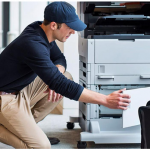
Printers and copiers have an essential role in every business because you can basically do everything here. If you have a multi-function printer, both input and output can be in the form of print, copy, fax, or scan. The office printer or scanner is a standout among the most significant innovations in your office, but it tends to disappoint when it breaks during a busy day. Careful and simple techniques can help avoid office printer issues. Like most other things, the more you take care of it, the longer its life runs and, most importantly, prevent you from wasting money for every single repairman visit. There are few simple ways on how to keep your multifunction copier from breaking too often. Do test prints. If the copier has not been utilized for at least two days, it is advisable to conduct test prints before using it again. You can also replace old paper with another ream of paper to facilitate smooth printing. Checking for any jams before the day begins also makes a lot of difference. It is important to remember that most copiers, when used occasionally, will go into rest mode and may pause for a moment or two to boot up, so noting the machine’s warm-up time helps in the waiting. Use high-quality printing paper. Numerous individuals over-burden their copiers with paper. Continuously check the paper limit before loading too much into the machine. Most machines will show a fill level line on the paper plate. Fill just beneath this line. Also, keep the document in a dry, clean, and sorted out spot, always ready for use all the time. It is so important not to use crinkled paper as it can stick the copier. The dampness too can make the paper twist and can more likely bring low-quality prints. Use the right toner. When you don’t use the correct toner for your copier machine, you can cause substantial harm that may require an expensive fix. When you lease or buy a copier, a manual will include a list of toners the machine works the best with. Make sure to follow their suggestions strictly. Own the right copier for your needs. Copiers break because the machine and its components are not appropriate for the requests the workplace staff individuals demand for it. If you have a copier that breaks all the time, your workload can be one of the many reasons why it happens. Do not fall for bogus advertisements of modern copiers. Most of the time, it will cost you more in terms of downtime and inefficiency. Do not overbuy either. There are machines that are made to perform heavy workloads, way more than what your needs demand. When this kind of machine cannot meet the workload it is designed for, a few times, repair services will also be needed. The best thing to do is determine the demand of workload your business needs and go for a copier that can perfectly provide it. All the simple strategies above will help you get the most out from your Copier as far as consistent quality, efficiency, and life span are concerned. Considering the critical job that a copier plays in the work environment, countless businesses have discovered the importance of Managed Print Services. In more ways than one, they can make sure that your copier needs are met without the usual headache of dealing with machine repair and maintenance services. If your location is around New York, you may also visit Copier New York and, Copier Lease New York or call Service Location NEW YORK : (866) 620-2287
Auto-Document Feeder Benefits: Now Is The Time To Experience It

Manually placing the documents in printers, fax machines, photocopiers, and scanners can be energy consuming especially if they come in volumes. The time that you use while looking after the flow of the files as the machine works can be used to other important things that could increase the productivity in your workplace. Using a device such as the Auto-Document Feeder can help lighten the load of your tasks and here are the reasons why it is your perfect partner in printing, scanning, copying, and sending fax: Duplex Scanning Aside from automatically feeding the document that you need to print, scan or reproduce to the machine, the Auto-Document Feeder has the ability to flip it to the other side if you need to have a back-to-back copy. It can be categorized into two: the reverse automatic document feeders (RADF) and the duplexing automatic document feeders (DADF). RADF flips the paper to the other side as soon as it is done scanning the forepart. DADF, on the other hand, can scan both sides in as soon as it is placed in the device. Fast Speed Operation Auto-Document Feeders are designed not only to automatically feed papers to the device but to do it in a fast-paced manner. The said feature can help increase the productivity in the workplace and improve the quality of service towards the customers. Can Support Different Paper Sizes Auto-Document Feeders can support up to five different paper sizes. These are the legal paper (8.5 x 14 inches), letter (8.5 x 11 inches), B5 (7.17 x 10.1 inches), A4 ((8.27 x 11.69 inches), and even checks (3.3 x 5 inches). Now that you why you need Auto-Document Feeder and its features, here are the best all-in-one printers that contain this feature: Brother MFC-J6935DW MFCJ6935DW Business Smart Pro with INKvestment Cartridges- a low-cost all-in-one printer includes software such as Scansoft PaperPort SE and Presto!® PageManager® (for Mac). It also has a “Scan To” feature that allows the users to decide where to place the file after scanning (E-mail, USB, E-mail Server, Network Folder). Ran by inkjet printing technology, the device can print up to 35 pages per minute whether it is connected through computer or Wi-Fi. Canon Color imageClass MF634Cdw- known for its high-quality output, printing speed, and good pricing, this printer uses Contact Image Sensor (CIS) technology that can scan legal size papers. It can also print up to 19 pages per minute even through USB flash drives! Another great feature of this feature is its user-friendly 5-inch touch screen LCD Panel. WorkForce Pro WF-4740 All-in-One Printer- best known for its heavy-duty performance, this printer is powered by PrecisionCore® technology and has an auto 2 sided-Auto-Document Feeder system. It has built-in dual trays that can accommodate up to 500 papers and can print high-quality graphics. The device also features a voice-activated printing so users can command Alexa to print as many files as they want without wasting much ink and energy as it uses less energy compared to other laser printers. HP OfficeJet Pro 6978 All-in-One Printer– has a unique surface design and features auto duplexing Auto-Document Feeder system. The printer lets the user directly send the scanned files directly to their email and save paper by its two-sided printing functionality. Available for an affordable price, this professional quality printer works best for home and small offices. Auto-Document Feeder is a great tool in improving productivity, especially in offices. By choosing the best multi-functional devices that feature such technology, your workload would not only be lessened but you can also see the progress in your work from time to time. If your location is around New York, you may also visit Copier New York and Copier Lease New York or call Service Location NEW YORK : (866) 620-2287
Plotter Printers: Kinds & 3 Common Issues Explained

There is a wide array of printer options available in the industry today for distinct printing jobs. For businesses and corporations, it is essential to invest in printing tools to print, fax, copy, and scan documents such as contracts and proposals on daily business operations. However, standard printers have printing limitations especially for large format outputs such as blueprints, billboards, and posters to name a few. Thus, manufacturers developed and designed plotters, a specialized printer for printing wide-scale outputs for advertising agencies, architecture firms, and engineering offices. What are Plotters? Plotters are printing devices designed to produce large-scale format illustrations which include engineering drawings, construction maps, advertising posters, business charts, and architectural plans. Wide-format printers or plotters differ from the standard printers since the former utilizes ink pens to generate the image while the latter uses a collection of dots. Plotter printers have a slow speed due to its complex mechanism necessary to produce detailed vector graphics images. Architects, engineers, and product designers utilize plotter printers for industrial drawings, blueprints, and computer-aided design (CAD) functionalities since it can print images on oversized papers, plywoods, and plastics. Types of Plotters Cutting Plotters Most businesses in the printing industry designed and developed cutting plotters to produce vinyl lettering and graphics and ready-cut mylar. Instead of the conventional pens, manufacturers equipped cutting plotters with an automatic plotter knife which cuts into the material to carve the design displayed on the computer. The common uses of cutter plotters include billboard advertising, sign making, and vehicle graphics. Inkjet Plotters The most prevalent type of plotter is the inkjet or technical plotters which produces high-quality prints at a low cost. It creates large-scale outputs such as banners, road signs, and billboards by spraying small droplets of ink onto the paper. Generally, inkjet plotters consist of three color ink system for color printing, while others have multiple types of blank-ink cartridges which handle the images with prominent black lines. Although inkjet plotters are capable of printing color prints, manufacturers designed these types of printers for simple color representation. Flatbed Plotters Over the years, flatbed plotters have evolved to provide the consumers with a vast array of printing jobs. The modern flatbed plotters incorporate vibrant colors to print on a fixed paper while the mechanical arm with pen moves across the sheet horizontally and vertically. Manufacturers developed the traditional flatbed printers for architects and engineers, while the modern models produce colorful prints for posters, restaurant menus, and maps. Problems of Plotter Printers Most manufacturers built plotter printers with the same complex mechanism, so all wide-format printers are susceptible to similar operational issues. Poor Stacking and Paper Jams Most wide-format printers rely on a gravity-fed system, so it should fall into the catch basket when paper falls. Manufacturers developed several plotters for the past several years which offer its consumers integrated stacking units. Software Compatibility When users upgrade their operating systems, they may encounter software incompatibilities since manufacturers drop the software support on older plotter models. They ceased the development of software drivers which result in the inability to jump on newer operating systems platforms. Dead Printheads A printhead is a common feature for plotter printers in the market responsible for depositing ink on a variety of medium. However, these printheads will wear out over time, so consumers need to replace them quickly. Several large-scale format printers can diagnose functionality issues and notify the user with the problem, but it is not always the case. Print quality problems may arise for no apparent reason, and printheads are the prime culprit of the issue. Plotter printers are essential printing machine for small-time manufacturers, medium-scale companies, and multinational corporations. However, most businesses fail to properly maintain their plotters which contribute to additional costs for repair. Regular and proper maintenance of large format plotters will result in high-resolution prints and quality performance in the long run. If your location is around Phoenix, you may also visit Copier Lease Phoenix, Copier Rental Phoenix, Copier Phoenix and Copier Repair Phoenix or call Service Location Phoenix: (602) 428-6500
3 Simple Steps To The Perfect Networking Plan

A one-man company can only last for so long. If you don’t have networking in your business plan, make sure to have it in there after reading this article. Imagine sharing your concerns, ideas, solutions, instead of doing things by just doing it by yourself. Sounds good, right? When it’s done well, this will not just provide you growth in a much less bumpy way, but it too, will up your game in the competitive field of your career. If you’re in a plotter-producing outputs looking for clients, an influencer to boost your business, or an industry leader for mentorship, brace yourself for the top three steps you need to undertake, so let’s go: Do some local groundwork in your area. Identify people in your area who do the same thing as you. There’s always something to learn about them, and about you too, of course! Come from a place of goodness, treat them as important, and offer help. You’ll build real connections and eventually, these relationships will pay off. You can get bigger connections from another region or state, but local, down-the-street connections are good to keep. Questions to ask yourself to get you started: “What are the businesses offering the same service/product as me?” Now you might tag them as your competitor, but don’t fret because you just have to bounce off from each other’s ideas. Another specific thing you could do is join a group or organization. List down the local industry associations, rotary clubs, or chambers of commerce. These groups are most likely composed of business people who do the same kind of business as yours. Go digital. As much as connecting to your local crowd is important, it’s also vital to build your online presence! There’s one main platform that probably everybody knows: LinkedIn – People input their job titles, their industry, and their experience. The platform has become a center for individuals to exhibit exclusive industry-specific knowledge and spread out best practices. In a study of job seekers as respondents, 85% of them perceive LinkedIn as the most important social media channel. If you haven’t set up your LinkedIn profile yet, it’s time to do so. Be that industry leader There’s a quote of Keith Ferrazzi that goes “The currency of real networking is not greed but generosity,” and it’s true. We all know that the art of networking is about reaching out, but it is also important to keep yourself in check, especially in terms of value. Who would want to connect to someone who cannot offer tips or knowledge, or much less more connections? In line with being an industry leader is continually learning. There are books, videos, and endless material to digest. Do you have them? Do they keep you up-to-date with the latest knowledge? Do you have the skill to innovate from such? If you keep your well full, you’ll make networking a little less exhausting, and you’ll attract more people to connect with you. You might have to dig deep — like reconnecting with former schoolmates to check in where they’re at, or 2nd-degree connections who are friends of previous office mates. That all sounds intimidating, but you just need to speak with them and offer help. Once you have these steps done, remember that communication is key. You need to follow through, as this is not a set-and-forget process. For the growth of your business, everybody knows that you need to be hands-on. When you feel the ground moving, you should know if it’s going the right way or the wrong one. You’ll feel it in your gut, and your network will grow. If your location is around Miami, you may also visit Copier Lease Miami and Copier Repair Miami or call Service Location Miami (305) 203-0533
The Budget-Friendly Solution for Students

BEING A STUDENT loaded with various paperwork such as term papers, readings, book reports, and notes for reproduction and copying, the last thing you would want to use is a printer. Not only would a printer take time, but would also cost you a lot more than you should be spending for, considering the limited schooling budget you have. As a student, it is imperative to be wise in spending your finances so as not to be shelling your money out on unnecessary expenses. Therefore, being efficient in managing everything, including the resources you should take advantage of, must be taken into utmost consideration. In this case, your best resort aside from the budget-unfriendly printing is the copier. Whoever does not know or heard about the copier must have lived under a rock, considering the huge number of common people familiar about this no-nonsense machine and its use. Yes, its popularity doesn’t go unrecognized due mainly to the benefits most — if not all — firms and establishments gain from its existence. In fact, copiers have become one of the most iconic machines most especially in the printing industry. Throughout the years, organizations and businesses have used these machines to print tons and tons of material. Its capacity to bear tremendous workload at an amazing speed contributed to the device’s popularity among various sectors. Moreover, its cost effective feature made it a budget-friendly solution for most students. In terms of leasing copiers, this service is not recommended for everyone, especially, not for students. You could perhaps settle for a copier service if you are barely making both ends meet for now. Copier for lease is rather much more recommended for those constantly dealing with a tremendous amount of paperwork, forms, and reading materials, to name a few. When leasing a copier, make sure you have enough space for the bulky machine, and you know how to operate it. At least determine and familiarize what type of copier you are going to need. If your Location is around Chicago, you may visit Copier Leasing Chicago, Copier Repair Chicago, Copier Rental Chicago, Copier Chicago or call Service Location Chicago (312) 216-0722
3 Best All-In-One, Budget-Friendly Printers for Home Use

IN THIS DAY and age, printers have become less and less expensive while increasingly becoming full-featured. Shopping for a printer can be as tricky as buying a mobile phone deciding from the countless features. To help you make a more informed choice, we’ve gathered the top 3 all-in-one printers of our choice that’s best for home-use. All-in-one printers take up less space and cost less than a separate printer, scanner, and copier. This is an all-in-one printer that’s best for home-use and a great long term investment. It can handle printing, scanning and copying with ease and it’s also very reasonably priced. Thanks to its use of ink bottles, rather than cartridges, which last longer and are cheaper to buy, you can save more bucks in the long run. Epson claims the Ecotank ET-3600 can save you around 70% on printing costs, and combined with its 3-in-1 capabilities, this makes it a must-buy. 2. Canon Pixma TS6050 This is another excellent choice for an all-in-one printer — small but feature-packed! Its compact size makes it easy to be placed in any space. It’s Wi-Fi enabled, which makes choosing a spot to place it even easier. It is perfect for printing, copying and scanning. Its low price and small size makes it a very tempting alternative. 3. HP Envy 5540 Last but not the least is this brilliant budget all-in-one equipment. It offers printing, scanning and photo printing. It also supports not just USB but Wi-Fi, Wireless Direct and AirPrint wireless printing. It even offers automatic double-sided printing. This printer has a price tag that is quite a bit lower than many of its competitors making it even more impressive. So before breaking out your wallet or credit card for a printer, consider every option there is, know what the main purpose of your usage is, and check the features. There are a variety of printers for sale online that you can choose from.
HP Designjet T2530 For Business Is A Must; Here’s Why

Big or small, every business needs a fully-operational printer. Even with the increasing demand for a paperless transaction, offices are still arguably dependent on a machine that creates a hard copy of a document. In fact, every household continues to keep at least one to cope up with the need to produce handheld copies of files or photos. But while a number of printer models have already been out in the market, not all are able to meet some needs. These days, a wide range of printers are available in different brands. The commercial models are aimed to cope with continuous usage, while the regular ones are designed for a low-volume use.The HP Designjet T2530 is a great example of an excellent commercial model because it is: Cost-effective both in input and output. While some machines give you a headache when feeding the paper into it, this printer model will not let you have a hard time. With features such as the sheet feed capabilities and 2 automatic front-loading roll feeds that come with a smart roll switching, you only have to load the paper and the machine will already finish the work. The margin of every sheet will auto-align while a special feature can hold two rolls of continuous paper. The output that comes out, on the other hand, gets stacked on the tray that can hold up to a maximum of 50 sheets with A1 size. Printing is accomplished even without supervision. You can print out documents unattended. The machine can take as much as a 300-foot roll of paper that automatically loads into it, while it completes the work. The feature will benefit the most a lengthy file with large drawings and photos. Printing, copying, scanning through a touchscreen panel. HP Designjet T2530 is a multi-function equipment that lets you scan, photocopy, as well as reprint photos and documents. It can also copy and print in black and white and colored formats on A1 paper sizes with a speed of 21 seconds per page. The machine can even scan up to 600 dpi and also reproduce 99 copies nonstop. All of the three functions can be done by using the touchscreen panel- three tasks for the price of one. There is mobile printing and scanning functions. The machine lets you mobile print and even scan through a number of apps like HP All-in-One Printer Remote and Apple AirPrint. With this feature, there is no need for a computer when you have to send a print task. You just have to do the job right from any mobile device; even email printing is supported. So when you want a hard copy of a file attached in your email, you can now forward it directly to the machine and a printout will be made shortly. 6-Ink function with GIS and CAD compatibility is present. While a lot of printers only feature cyan, magenta, yellow, and black inks, the HP Designjet T2530 includes more. It comes with a gray design, matte black, and photo black aside from the basic. However, only cyan, magenta, yellow, gray, and photo black use the dye type ink because the matte black ink uses the pigment type. Nevertheless, every color comes with their own print heads, making it faster to clean on a regular basis. Excellent power-saving feature. Designed to be eco-friendly, the HP Designjet T2530 requires only a power consumption of 120 watts for print mode, while the sleep mode needs 1.3 watts. With all of these features, HP brings a great product with Designjet T2530. Without a doubt, this outstanding printer is ideal for both personal and commercial use. For Printers for sale needs, HP Designjet T2530 is top of the line.
3 Printer Issues That Tell You Have Slow-Performing Printer

Photocopiers play an important part in an office setup. These machines are expected to make copying tasks easier and faster for the employees. However, if your photocopier is no longer working as efficiently as before then it fails to serve its purpose. It might require the expertise of printers maintenance services professionals. A slow copier in the office may also slow down productivity and cause frustration among the employees. Keeping an inefficient copier may ruin your business by costing your more with slower flow of profits. Slow copiers need to be fixed immediately to prevent any business loss. But can you revive a slow copier back to its original speed? What are the ways to fix a copier? It could be traced back to the type of photocopier you are using in the office. In general, inkjet photocopiers are known to experience more speed lags compared with the laser type. Older inkjet models are all the more susceptible to this. Due to this, manufacturers worked double time to produce better performing inkjet copiers. The latest models can print faster at a speed of 75ppm (pages per minute). Getting a newer model might be the first thing you need to consider. Software updates are essential. The outdated printer driver could be the reason behind its slow performance. Printer driver and the software must be constantly updated whenever updates are available. A slow copier may be caused by an outdated driver leading to poor performance or worse, it could stop producing copies, so updating the print driver may resolve the problem. Latest software versions are available online on the manufacturer’s website. Takes longer time to warm up Generally, copiers take time to warm up in order to get it ready for tasks. It has to do with how printers work. Once plugged, depending on the manufacturer’s heat requirements, the machine will wait until warm enough for its fuser to melt the carbon powder which is used for the printing. This is also the reason why fresh copies from the machine are warm to touch. One indication that the fuser is wearing out is if it requires longer than its usual time to warm up. In order to ensure that the fusers are kept in good working condition, experts recommend regular maintenance check. A power source which is delivering low power may also be a reason for longer warm-up time. Slow network connection Wireless connectivity feature elevates the modern copiers from the older models. Yet, this may also be a cause of slow production. Poor internet connection can affect the consistency of data flow being sent to the printer. Sometimes it causes delay or errors to occur during printing. A wireless printer requires strong internet connection for it to operate efficiently. Display screen takes time to appear Modern printers are equipped with electronic display panel to make it easier to manage. However, if the display screen is taking a lifetime before it appears then it will eat up time you have allocated for your tasks. It causes printing delays while bringing frustration from employees who are working on meeting a certain deadline. Some of the reasons behind a slow copier are not that complex. It can even be resolved without getting help from printers maintenance services professionals. It is just important to realize the need for regular checkup of your machines to keep it in good condition.